
When a DC session through a JT08 or JT09 fails to start, suspect permission before the adapter: your car maker may not have approved this adapter combination for your car, or the site may not be open to it. Work the checks in that order — approval, access, seating, the station, the car’s own settings — and stop if the adapter shows damage.
Key Takeaways
- Most JT08/JT09 no-starts are permission: no maker approval, or a site not open to the car. Check documents before hardware.
- One careful reseat is the only physical fix at the post; visible damage ends the attempts — replace, never retry.
- Isolate by pattern: another stall tests the station; a native CCS1 session tests the car; its limits and schedule come last.
- Station error codes belong to the network; the pattern, not the code, tells you which side the fault is on.
First: The Two Permission Checks
Maker approval. DC adapters are used only where the vehicle maker approves third-party DC adapter use for the exact car. If your maker has not approved it — or approves a different adapter — the session can be refused before it begins, and no technique at the post changes that. The fix is a document, not a retry: check your maker’s current approval for your model; anything else, including older forum posts, is out of date until the maker’s page says otherwise.
Site access. Separately, the station or network must be open to your car. At Tesla Superchargers, openness is set by Tesla’s programme and varies by site and brand; other NACS DC networks set their own terms. A closed site fails exactly like a broken one — the session simply never starts. Both conditions are current-terms items, as whether other cars can use a Tesla charger explains.
The tell-tale pattern: your car charges normally at native CCS1 stations, and the adapter has worked at other NACS sites. Hardware does not change its mind between sites; terms do.
Second: The Physical Checks You Can See
- Seating. Remove the adapter and reseat it once — straight and fully home at both ends. A half-seated connector is the one hardware cause fixable at the post.
- Visible damage. Look at the contact faces and housing: cracks, discoloration, scorch marks, damaged pins. Any of them ends the attempts — a damaged unit is replaced, never forced into one more try.
- Faces clean and dry. Grit or moisture between faces makes a poor joint; a dry wipe corrects it — the limit of user care. No tools, no abrasives.
Third: Isolate the Station, Then the Car
| Pattern you observe | It points to | Your next step |
|---|---|---|
| Every stall at this site fails, for other drivers too | The station or the site | Move on; report it through the network’s channel |
| One stall fails, the next stall works | That stall | Charge at the working stall; note the failed one |
| Your car fails at every NACS site but charges at CCS1 stations | Permission — approval or access | Back to the two documents; not a proven adapter fault |
| Your car fails everywhere, including natively | The car | Your maker’s service route, not adapter troubleshooting |
Last, the car’s own settings: a charge limit or scheduled departure set in the car can quietly hold a session back, and the battery may already sit at the limit you set. These are owner’s checks in the car’s own menus — different in every model, and yours to clear. The start sequence in how to use a DC fast charger is worth one calm run-through before you conclude anything.
Where the JT08 and JT09 Sit in This
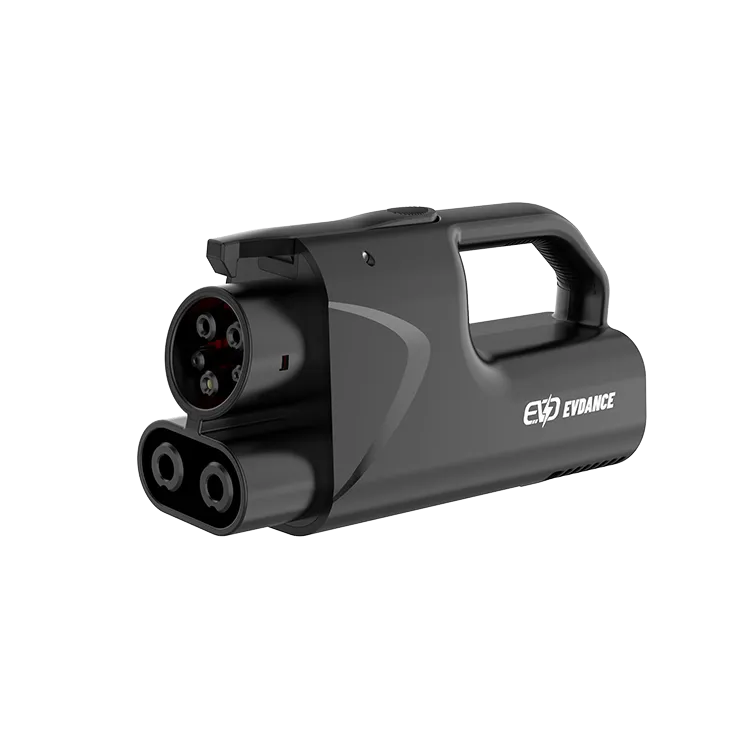
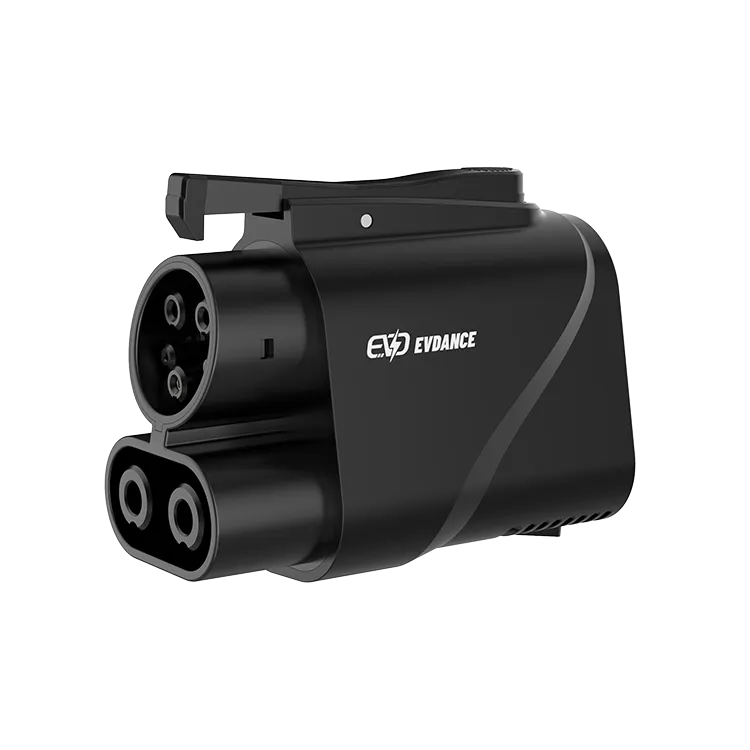
The EVDANCE JT08 (up to 500 A / 1000 V, IP66) and the EVDANCE JT09 (with handle, up to 500 A, IP66) are pass-through parts: they start nothing and approve nothing. If the checks clear permission, seating and the station, the remaining route is the documents again — approval is per exact car, the answer drivers most often skip. A damaged adapter is replaced, full stop.
Frequently Asked Questions
It worked at this site last month. What changed?
Possibly nothing you can see: approvals and network openness are current-terms items either side can revise, and a station can be down. Recheck the two documents, then run the isolation pattern.
The station shows an error code. What does it mean?
Error codes belong to the network running the station and are not decoded here — the same code means different things on different networks. Use the pattern checks to find which side the fault sits on; the network’s help channel owns the code.
Should I keep reseating and retrying until it starts?
One careful reseat, yes. Beyond that, repetition changes nothing: a permission answer stays no, and a damaged adapter gets worse, not better. Work the list once, in order, and let the pattern speak.
Related Reading
- How to Use a DC Fast Charger: Step by Step
- Can I Use a Tesla Charger for Other Cars?
- Are EV Charging Adapters Safe?
- How Do DC Fast Chargers Work?

