
An “offline” flag means one conversation in a chain — charger, home network, cloud account, phone app — has gone quiet. It does not say which link, and it does not by itself mean the charger is broken: charging runs locally between charger and car, on a separate wired link. The useful question is not “why is it offline?” but “which side is missing?” Four checks isolate the party — including the case where nobody is offline and the app shows an old state.
Key Takeaways
- “Offline” names a quiet link in a four-party chain; it never names which link — isolation does.
- Start at the charger itself: its own state is the ground truth.
- The second-device test clears or convicts your phone; the neighbour test does the same for the network.
- Hand support the record — start time, changes, test results — not a guess.
Check One: The Ground Truth Is at the Charger
Walk to the unit before touching any setting. A charger with power and its normal screen or indicator state is alive, whatever the app says; the missing party is above it in the chain. A dark unit is a different problem — a power question, not a network one. Note the breaker state as an observation only; a dark unit with the supply on is a job for the manufacturer or an electrician.
Check Two: The Second-Device Test
Open the same account on a second phone, tablet, or the provider’s web view. If it sees the charger online, your phone is the missing party — its app holds a cached offline state, or it is signed in to a different account. Work that layer: force a full refresh, sign out and in, update the app. If every device agrees on offline, the phone is cleared and suspicion moves down the chain.
Check Three: The Neighbour Test
Look at another connected device on the same home network. If it dropped at the same time, the network changed or failed under all of them: a restarted or replaced router, a new network name or password, a broadband outage. The charger is one victim among several; re-pairing it makes sense only once the network is final. If the neighbours are healthy, the missing party is the charger’s own link.
What Each Result Convicts
| What you observe | Missing party | First move |
|---|---|---|
| Charger dark, no screen or indicators | The charger’s power supply | Note the breaker state; manufacturer or electrician if supply is on |
| Second device sees the charger online | Your phone or its app | Refresh fully, sign out and in, update the app |
| All devices agree offline; other smart devices dropped too | The home network | Stabilise the router first; re-pair afterwards |
| All devices agree offline; the network is healthy | The charger’s own link or module | Manufacturer support, with the record below |
Each check clears a layer, so no fix is attempted on a layer not yet convicted — the habit behind how smart EV chargers work, where control, records and charging fail separately.
The Record That Skips the Script
If the trail ends at the charger’s link, have the record ready: when the flag first appeared, anything that changed that day (router, password, provider, app update), the charger’s screen state, and the two test results. That gets you past the scripted restarts to the actual fault. One caution from why an electric car charger is not working: do not power-cycle mid-session to chase the flag — revive the connection between sessions.
Connected Chargers in the EVDANCE Range
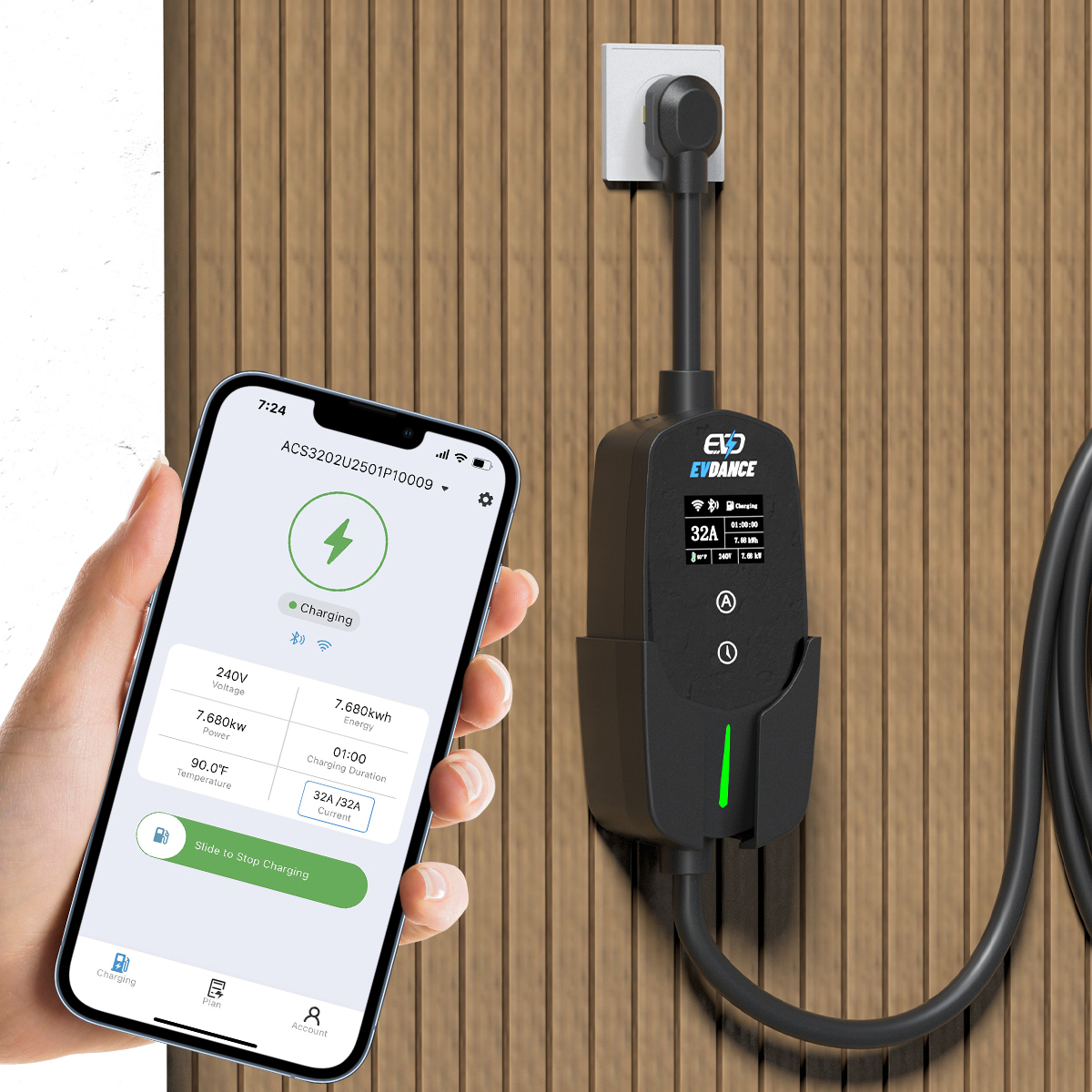
Two EVDANCE units are listed with app features: the EV-ACT3204PE 22 kW wallbox (three-phase, Type 2, RFID and app) and the EV-ACS3210E 32A Type 2 portable charger (about 7 kW, app control with energy monitoring). What either keeps locally while its link is down — schedules, cards, records — is set by its design and stated in its manual; check there rather than assume. As do home EV chargers need Wi-Fi? sets out, the connection carries control and data, never the charging itself.
Frequently Asked Questions
Can the app simply be wrong?
Yes. An app can hold the last state it received — a cached flag from an earlier drop, or a view of the wrong account. That is what the second-device test detects: if another device on the same account sees the charger, your phone’s flag is stale, not a fault.
The car charges fine but the charger has shown offline for days. Keep using it?
Charging itself is not at risk — the car controls its own session. But a link down for days on a healthy network is a support call: the same symptom fits a failing connection module.
Will restarting the charger clear the flag?
Sometimes — a restart re-joins the link when the network layer was the problem. Do it between sessions, as the manual allows; a flag that returns on a pattern is information for support.
Related Reading
- Do Home EV Chargers Need Wi-Fi?
- How Do Smart EV Chargers Work?
- Why Is My Electric Car Charger Not Working? A Driver’s Checklist

