
Reset a home EV charger in a fixed order: end the session and unplug the car, restart it from its app or controls if it has them, and only then switch its circuit breaker off for about a minute and back on. That clears most frozen states and latched one-off faults. If the same fault returns after one clean reset, stop resetting — the charger is reporting a real problem.
Key Takeaways
- Reset in order: session restart, soft restart, breaker power cycle, factory reset only as a last resort.
- Unplug and end the session before cutting power; wait about a minute before switching back on.
- A power cycle clears frozen states and one-off latched faults; it cannot repair heat, ground-fault or damage warnings.
- If the same fault returns after one clean reset, stop and call the manufacturer or a licensed electrician.
The Reset Ladder: Gentlest First
| Step | How | What it can clear | What it cannot fix |
|---|---|---|---|
| 1. Session restart | End the session, unplug, wait a few seconds, plug in again firmly | A connector that was not latched; a session that never started | Any fault the charger itself has flagged |
| 2. Soft restart | Restart from the app, or the unit’s power control, as the manual describes | A frozen screen, a stuck app connection, a confused schedule | Electrical faults; a breaker that keeps tripping |
| 3. Power cycle | Breaker off for about a minute, then back on | A fault latched by a power cut or voltage blip; a unit that will not wake | Heat, ground-fault and damage warnings that come straight back |
| 4. Factory reset | Only via the manual’s procedure, as a last resort | Corrupted settings you cannot reach any other way | Hardware faults; it also wipes schedules, Wi-Fi and cards |
Work down the ladder one step at a time and test after each step. Skipping straight to the breaker teaches you nothing about which step fixed it, and a factory reset means entering every setting again.
How to Power-Cycle, Step by Step
- Stop the session first — in the car, in the app, or at the charger. Do not cut power mid-session to chase an app problem; you will end the charge you were trying to protect.
- Unplug the connector from the car and hang it up.
- Switch the charger’s breaker off at the panel. This is switching, not wiring work; you open neither the panel nor the charger.
- Wait about a minute so the unit fully discharges and forgets its latched state.
- Switch the breaker back on and let the charger run its start-up lights until ready.
- Plug in and start one session. Stay for the first few minutes and confirm charging settles at a normal rate.
Note what the charger showed before you reset it — the light pattern or the code on the screen; if the fault returns, that record is what support will ask for, and a charger flashing red and the charger-not-working checklist help you read it. A charger that has only lost its internet link is different: it usually keeps charging, as whether home chargers need Wi-Fi explains, and its fix is the network.
When to Stop Resetting
A reset clears states, not causes. Stop and call the manufacturer or a licensed electrician when:
- The same fault light or error code returns after one clean power cycle.
- The breaker trips again when you switch back on, or during the next session — repeated trips are a protective device doing its job.
- The plug or unit feels hot, or you smell burning.
- Visible damage: a cracked connector, a cut cable, water inside the unit.
Never open the charger or the panel, and never keep resetting a unit reporting heat or ground faults — those warnings exist to stop a session before damage happens.
Chargers That Tell You What Happened
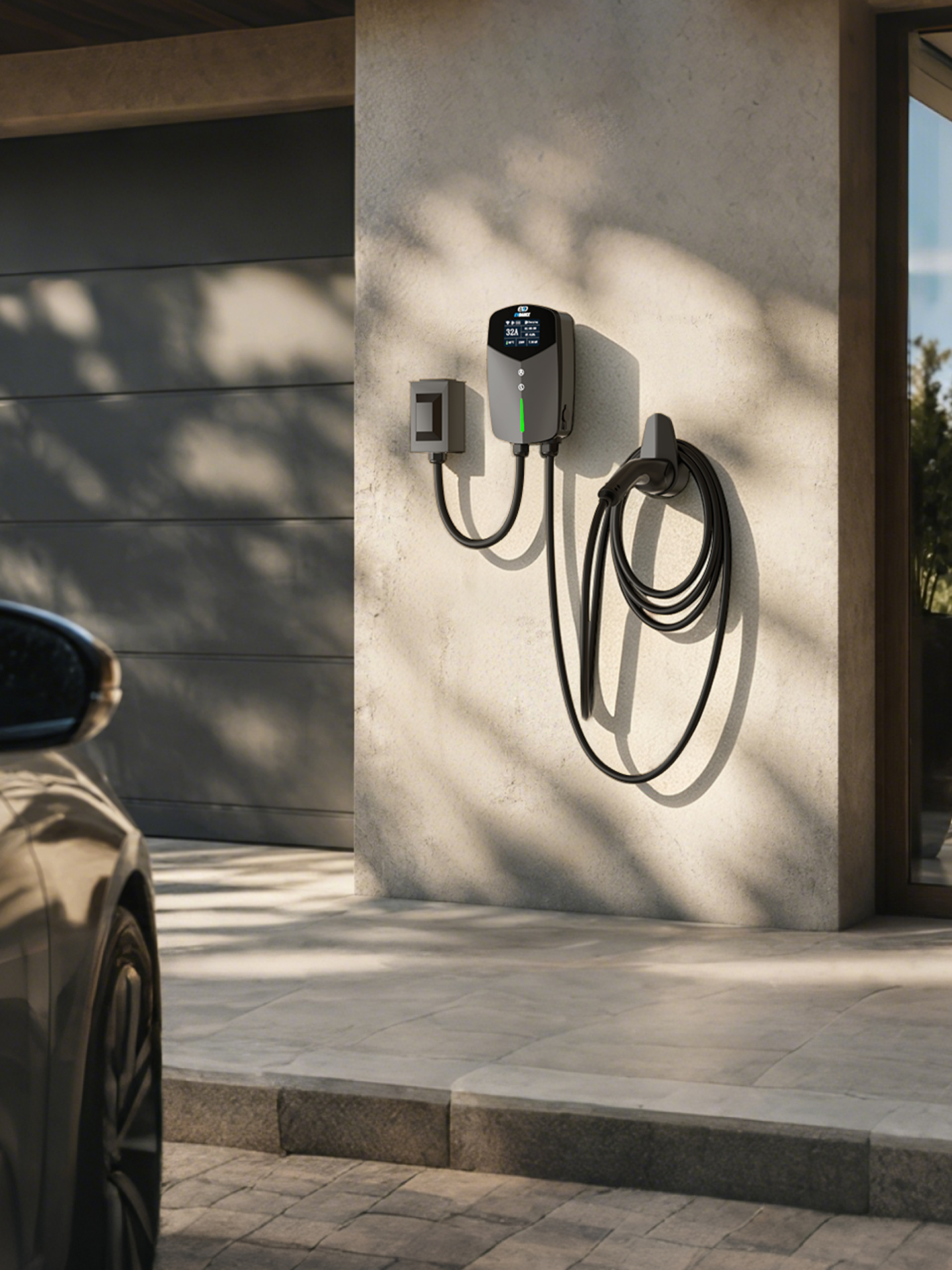
Resets go better when the charger explains itself. The EVDANCE EV-ACS4005T 40A NACS portable charger shows its state and fault messages as text on a screen, so you can see whether a reset cleared the problem. The EV-ACT3204PE 22 kW wallbox adds app control, making the soft-restart step a tap rather than a trip to the panel.
Frequently Asked Questions
Will a power cycle lose my settings?
Usually not. Schedules, current limits and saved cards normally survive a breaker power cycle. A factory reset is the one that wipes them.
How many times can I reset a charger?
Once per fault. A single power cycle is a fair test; if the same fault returns, more resets only hide the pattern support needs to see.
The breaker trips the moment I switch it back on. What now?
Leave it off. A breaker that will not stay on is reporting a short or ground fault. Do not force it; have a licensed electrician find the cause.
Related Reading
- Why Is My Electric Car Charger Not Working? A Driver’s Checklist
- Why Is My EV Charger Flashing Red?
- Why Does My EV Charger Keep Tripping the Breaker?
- Do Home EV Chargers Need Wi-Fi?

