
You check your real charging speed three ways. First, read the live rate in kilowatts while the car is charging — on the car’s dashboard, the charger or its app, or the public station’s screen. Second, work out the session average: kilowatt-hours delivered divided by hours spent charging. Third, sanity-check both against the expected band for that charger type. The live figure moves around; the average is the number that plans your stops and overnight charges.
Key Takeaways
- Read the live kW while charging; divide session kWh by charging hours for the average.
- Check both against the DOT bands: about 1 kW Level 1, 7–19 kW Level 2, 50–350 kW DC fast.
- A taper near full and a slow cold battery are the car protecting itself, not faults.
- Rate wrong? Check settings, battery state and sharing before suspecting hardware.
Where the Live Number Hides
- The car’s dashboard or app. Most EVs show the current rate while plugged in, in kW or miles added per hour.
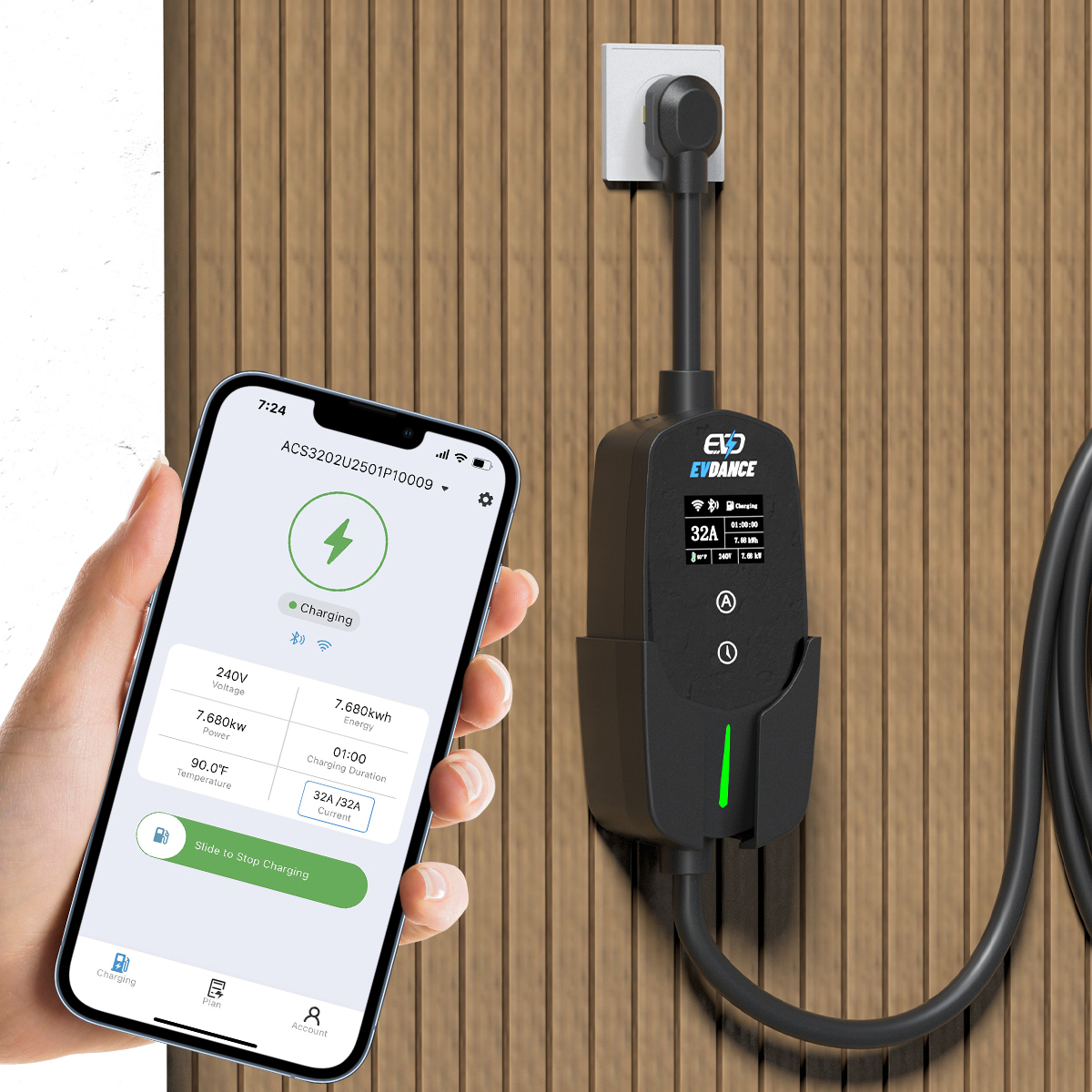
- The charger itself. Many wallboxes and portable chargers show the rate on a display or in their app, plus the session energy.
- The public station. DC fast chargers show the live rate on screen; the receipt or app history gives the energy delivered.
- If only amps are shown: at home, kilowatts are roughly amps × circuit voltage ÷ 1,000. The voltage is on the charger’s label.
Work Out Your Session Average
- Read the session kWh from the charger, car or station receipt.
- Divide by the hours actually charging — not the time sat plugged in after finishing.
- Labelled example: 22 kWh over 3 hours of charging averages about 7.3 kW.
| Number | How you get it | What it tells you |
|---|---|---|
| Live rate (kW) | Car, charger or station display during the session | What is happening now — spotting a slow start or a taper |
| Session average (kW) | Session kWh ÷ charging hours | Your real speed for planning stops and overnight charges |
| Miles added per hour | Shown by many cars; range gained divided by time | A quick feel for a session — but it depends on your car’s efficiency, so it does not compare between cars |
What the Number Should Look Like
The U.S. DOT gives the typical bands: Level 1 at about 1 kW adds 2–5 miles of range per hour; Level 2 at 7–19 kW adds 10–20; DC fast charging at 50–350 kW adds 180–240. A home session inside its band, steady and easing only near full, is healthy — that easing is why charging slows down after 80%. A DC session varies far more: how fast a DC fast charger is covers what sets yours, and a cold battery charges slowly until warm — what battery preconditioning is for. Charger and car measure at different points, so a small gap is normal.
If the Number Looks Wrong
- Check the settings first. Many chargers and cars have a current setting; an adjustable charger left on a low step charges at that step.
- Check the battery’s state. A nearly full or cold battery accepts less by design; arrive at a fast charger low and warm to see its real pace.
- Check for sharing. Some public posts split power between two cars; both sessions slow while both are plugged in.
- Then ask. If a home session sits far below the charger’s rating with a warm, low battery and right settings, ask the manufacturer — and have a licensed electrician check the circuit if anything feels hot or trips. Do not open the equipment yourself.
Chargers That Make Checking Easy
Adjustable chargers double as a diagnostic: if the rate follows the setting, the equipment is doing what it was told. The EVDANCE EV-ACS4005T 40A NACS portable charger adjusts at 16/24/32/40 A up to 9.6 kW, and the EVDANCE EV-ACS3210T 32A NACS portable charger offers six steps from 10 to 32 A. Pair the kWh from your check with the method in what it costs to charge at home and the session gives you its cost too.
Frequently Asked Questions
Why is my charging rate lower than the charger’s rating?
The rating is what the charger can offer; the car decides what it takes. A current setting, a nearly full or cold battery, or a shared public post can each hold it below the ceiling.
Which measure is better, kW or miles per hour?
Kilowatts, for checking speed: they describe the session itself, so they compare across cars and chargers. Miles per hour folds in your car’s efficiency — useful for your own trips, less so for comparisons.
Can I check my speed from a finished session?
Yes — that is the average method: kWh from the charger, car or receipt, divided by the hours spent charging. It will not match the peak you saw on screen, and it is the more honest number for planning.
Related Reading
- How Many kWh Does It Take to Charge an EV?
- How Fast Is a DC Fast Charger?
- Why Does EV Charging Slow Down After 80%?
- What Is EV Battery Preconditioning?

