
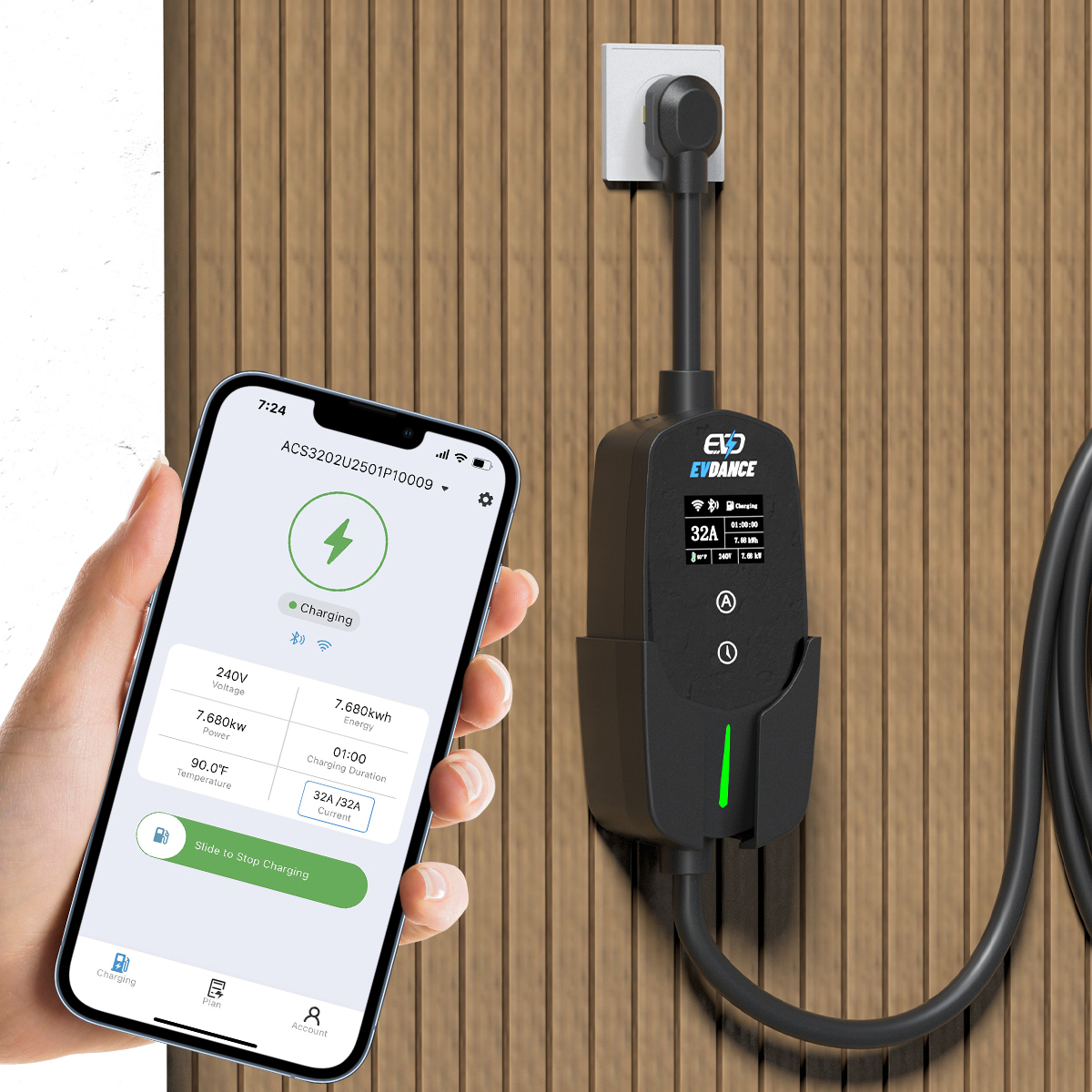
Firmware is the software that runs inside the charger itself. On a connected home charger, updates arrive over your Wi-Fi or the charger’s network connection — some install automatically, others wait for you to confirm in the app. A basic, non-networked charger has no route for updates at all: the software it shipped with is the software it keeps. Either way, the charger still charges; updates are about behaviour, features and security, not about making the unit work.
Key Takeaways
- Firmware is the charger’s built-in software; connected chargers receive updates over Wi-Fi or a network platform.
- Updates fix bugs, adjust features and patch security — they never change the charger’s rating or the car’s limit.
- Non-networked chargers never update, by design, and keep charging regardless.
- During an update: keep the power and the Wi-Fi on, and let the maker’s app handle any retry.
What an Update Can Actually Change
An update cannot change the charger’s hardware rating, and it cannot change your car’s charging limit — the car still sets the ceiling on every session. What it can change is how the charger behaves:
| Kind of change | What it looks like in practice |
|---|---|
| Bug fixes | A session fault, a scheduling error or a display glitch corrected |
| Feature changes | Scheduling, load-sharing or app behaviour adjusted or added |
| Security patches | Weaknesses in the network connection closed |
| Compatibility work | Handshakes with newer cars and with tariff or network platforms kept current |
This is one half of how connected chargers earn their keep; the other half — scheduling, monitoring and control — is set out in our explainer on how smart EV chargers work.
The Three Ways Updates Arrive
- Through the maker’s app. The charger talks to the maker’s service over your home Wi-Fi, and the app notifies you or installs the update in the background, depending on the model and your settings. Whether the Wi-Fi connection itself is essential is covered in our guide to whether home EV chargers need Wi-Fi.
- Through a network platform. Managed stations that speak OCPP receive their instructions from the platform operator. At a workplace or public site, updates are the operator’s job; users rarely see them.
- Not at all. A non-networked charger has no connection to receive updates with. That is a legitimate design choice — fewer features, nothing to patch — not a defect.
Staying connected has a small standing cost, which is why efficiency standards pay attention to it: ENERGY STAR notes that certified chargers use 40% less energy in standby than conventional models. Updates are part of what the connected design buys you in return.
Before and During an Update: The Safe Routine
- Let updates finish before you need a charge; do not start one in the middle of a session unless the maker’s guidance says sessions are unaffected.
- Keep the power on. Never switch the charger off at the breaker while it is updating — an interrupted update is the classic way to leave a unit unresponsive.
- Keep the Wi-Fi up. A dropped connection can stall a download halfway; a weak signal at the charger’s location is worth fixing once, properly.
- If an update appears to fail, wait first — many units retry on their own. Then re-open the app and retry from there.
- Only power-cycle the unit if the maker’s instructions tell you to. If the charger stays offline afterwards, that is a manufacturer support call, not a DIY repair.
Two EVDANCE chargers show the two connected routes. The EV-ACT3204PE 22 kW wallbox (three-phase, tethered Type 2 cable, RFID and app, IP66) is the app-connected pattern. The EV-AC03201T dual-connector AC station (two Type 2 connectors, up to 43 kW shared, OCPP 1.6J, RFID, IP54) is the platform-managed pattern used at shared and commercial sites.
Frequently Asked Questions
Does my home charger update itself?
It depends on the model and your settings. Many app-connected chargers are set to update automatically; others notify you and wait for a tap in the app. If your charger has no app and no network connection, it never updates — and needs none of this routine.
Can a firmware update make my charger faster?
No. An update can restore behaviour that a bug was suppressing, or change features and limits the maker controls, but it cannot raise the charger’s hardware rating — and your car’s maximum rate still caps every session. If charging is slower than the rating suggests, the cause is almost never firmware.
What if an update fails halfway?
Do not cut the power. Wait, check the app, and retry the update from there — most failures are an interrupted download, and the unit is built to recover. If it stays unresponsive or offline after the maker’s own steps, contact the manufacturer; a charger stuck mid-update is a support case, not something to open up.
Related Reading
- Do Home EV Chargers Need Wi-Fi?
- How Do Smart EV Chargers Work?
- Smart vs Non-Smart EV Chargers: What Installers Actually Want
- Do You Need a Smart Meter for an EV Charger?

