
You connect a home EV charger to Wi-Fi through its companion app: put the charger in pairing mode, join it to your home network, and confirm it shows online in the app. Most wall chargers use the 2.4 GHz band, not 5 GHz, and a weak signal at the garage wall is the most common reason setup fails. Charging itself does not depend on the connection.
Key Takeaways
- Charging does not need the internet; the app, schedules, records and updates do.
- Most chargers connect to the 2.4 GHz band only — check before you start.
- Weak signal at the garage wall causes most failed setups.
- After a router or password change, repeat the pairing steps.
Do You Need an Internet Connection at All?
Not for charging. A wall charger delivers power with no connection at all, as our guide on whether home EV chargers need Wi-Fi explains. The connection enables the smart layer around it:
- Starting, stopping and scheduling sessions from the app
- Usage records and energy reporting
- Firmware updates
- Features such as dynamic load balancing, where output follows the house load
In Great Britain, home charge points covered by the Smart Charge Points Regulations 2021 must have smart functionality, which assumes the unit can connect and respond.
Before You Start: What to Check
| Check | What you need |
|---|---|
| Wi-Fi band | Most chargers join 2.4 GHz only. If your router merges both bands under one name, split them or enable a separate 2.4 GHz name. |
| Signal at the charger | Check the signal on your phone where the charger is mounted. If your phone barely connects there, the charger will struggle. |
| Password | Have the exact network password ready. A mistyped password fails setup more often than hardware does. |
| App and account | Install the charger app and create your account first. |
| Pairing mode | The manual shows how the charger becomes discoverable (a button, a power cycle, or automatic). |
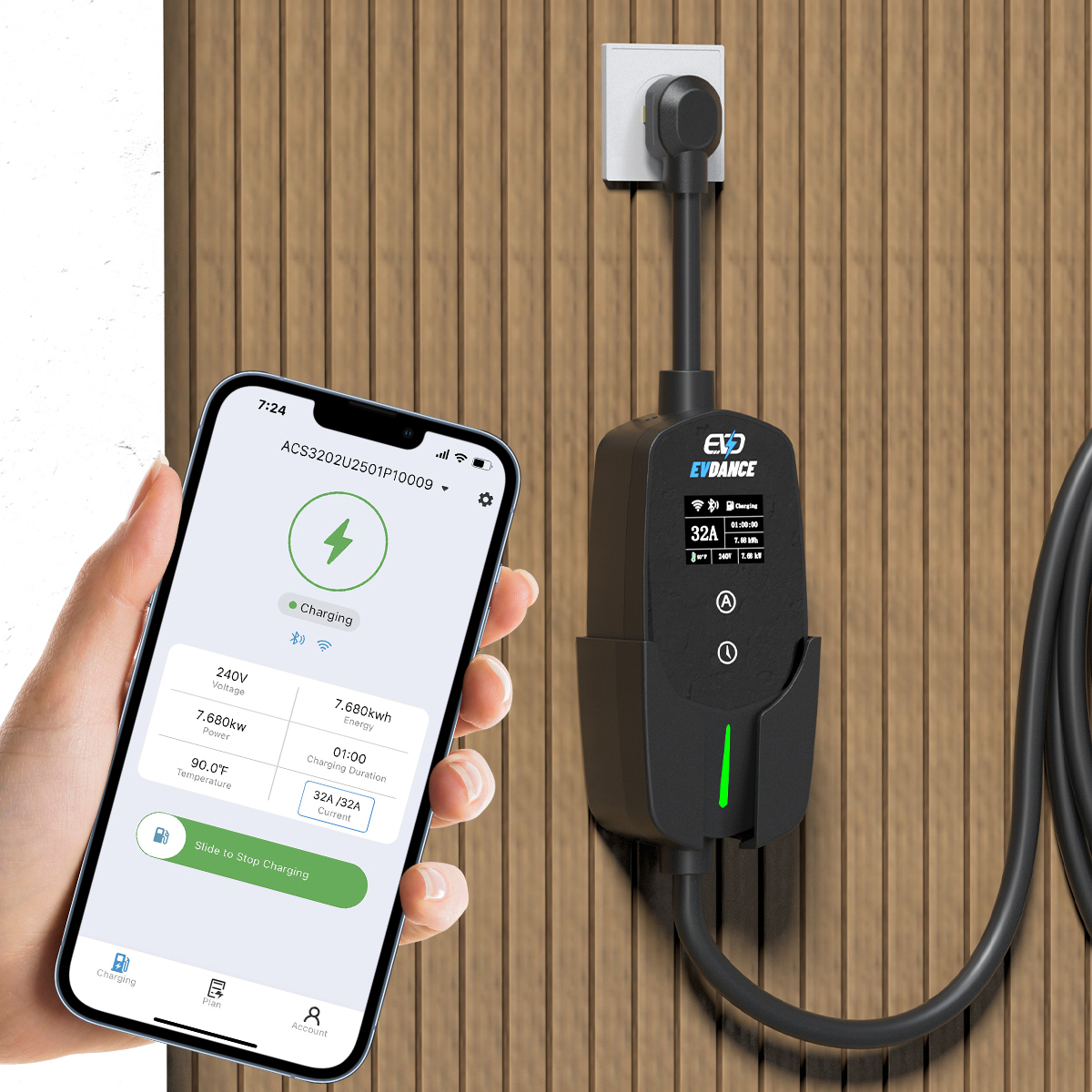
The Connection Steps
Screen names vary by brand, but the sequence is much the same:
- Power the charger on and wait for the status light that shows pairing mode.
- Open the app and add the device. The app usually finds the charger by Bluetooth for the first step.
- Select your 2.4 GHz network and enter the password carefully.
- Wait for the charger to come online. The status light changes and the app shows the unit connected.
- Run a short test charge and check the session appears in the app.
- Set schedules afterwards. Off-peak scheduling works once the link is stable; smart charging with time-of-use tariffs explains why.
Weak Signal Is the Usual Problem
Chargers sit on outside walls and in garages — exactly where home Wi-Fi is weakest. Thick walls, metal doors and distance all cut the signal. If setup keeps failing, the fixes are about signal, not settings:
| Option | When it helps |
|---|---|
| Move the router toward the garage side of the house | The charger is just out of comfortable range |
| Add a mesh node or access point near the garage | The house is large, or walls block the direct path |
| Mount the charger on the house-facing wall | Still planning the install — ask your installer |
If the Connection Drops Later
A dropped connection rarely stops a charge in progress: most chargers continue at their last settings and reconnect on their own. What you can lose is app control, cloud-stored schedules and usage logging. Usual causes are a changed router password, a new router, or an update that reset band settings — the fix is to repeat the pairing steps with the new details. If the charger keeps dropping while your phone holds a strong signal in the same spot, ask the installer or manufacturer to check the unit.
App control is central to how a smart unit works, as our explainer on how smart EV chargers work sets out. The EVDANCE EV-ACT3204PE wallbox — a 22 kW three-phase charger with tethered Type 2 cable, RFID and app control, IP66 — is one unit whose app features depend on this one-time setup being done correctly.
Frequently Asked Questions
Will my charger stop charging if the Wi-Fi drops?
Usually not. Most chargers keep charging at the last set current and reconnect in the background. App control and cloud-based schedules may pause until the link returns.
My charger cannot see my home network. What is wrong?
Most likely the band: if the router merges 2.4 GHz and 5 GHz under one name, a 2.4 GHz-only charger may not find it. Split the bands, then pair again. Very weak signal at the mounting point gives the same symptom.
Do I need to reconnect after changing my router?
Yes, if the network name or password changed — repeat the pairing steps. If the new router uses the old name and password, most chargers reconnect by themselves.
Related Reading
- Do Home EV Chargers Need Wi-Fi?
- How Do Smart EV Chargers Work?
- Smart Charging and Time-of-Use Tariffs: How Scheduling Cuts EV Charging Costs
- What Is Dynamic Load Balancing, and Why Does Your Wallbox Home Charger Need It?

