
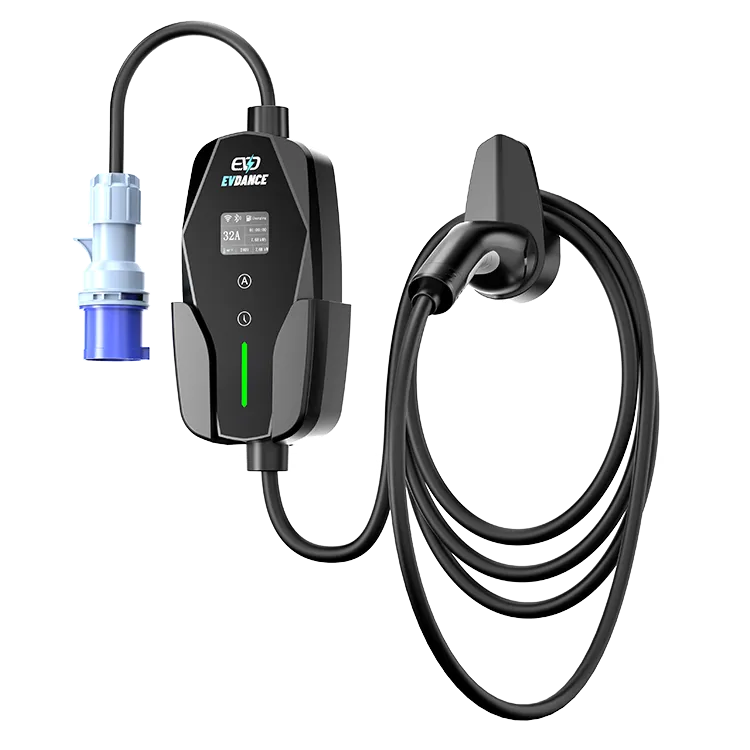
Start with the split: plug the car in. If the EV-ACS3210E charges, the charger is healthy and the fault lives in the phone-to-charger link — work it layer by layer: power, distance, account, app state, then the manual’s connection sequence. If the car will not charge either, this is not an app problem; use the general checklist instead.
Key Takeaways
- Split first: if the car charges, the charger is healthy and only the phone link is broken.
- Work the layers in order — power, distance, account, app state, then the manual’s sequence — one change at a time.
- Never power-cycle mid-session to chase the app, and never stack a second account on a failed pairing.
- Failure at zero distance on a second phone is a support case: bring phone, app version, distance and the unit’s indicator state.
First, the Split: Is the Car Charging?
On this model the app is the monitoring and control layer — session energy and the 10–32 A setting — while charging is the hardware’s core function. That split tells you where the fault can live:
| What you observe | What it means | Where to work |
|---|---|---|
| The car charges; the app will not connect | The charger is healthy; the phone link is broken | The layers below, in order |
| The car charges; the app connects but the session never appears | A record problem, not a connection problem | Reconnect after the session and check again; if records stay missing, note the dates and ask support |
| No charging, and no connection either | Power or charger first, app second | Our driver’s checklist for a charger that is not working |
This article covers the first row only. A charger showing “offline” mid-session is a different case: a dropped connection, not one that will not form.
Work the Link, Layer by Layer
Change one thing at a time, so you know which layer it was:
- Power. The unit must be plugged in and awake before any app can find it. Check its own indicator shows it is powered; an unpowered charger is invisible to every phone.
- Distance. Stand next to the charger, phone in hand. A portable at the far end of a driveway is at the edge of its link’s reach, and most “won’t connect” cases are geometry, not faults. Move closer before changing anything else.
- Account. The app must be signed into the account the charger was set up with. A fresh account created in frustration cannot see the unit — go back to the original phone and account first.
- App state. Fully close the app and reopen it; check for an update; restart the phone. These basics clear the stale states that pile up after updates.
- The manual’s sequence. Re-run the connection steps in the order the manual gives them, exactly once, start to finish. The exact screens are the manual’s to describe — improvised variations are how a simple pairing turns into a tangle.
Two Habits That Make It Worse
Do not power-cycle the charger mid-session to chase the app: you risk ending a healthy charge to fix a viewing problem. Do the link work between sessions, car unplugged. And do not stack attempts — re-pairing, a second account and a reinstall layered together leave three possible faults where there was one. One change, one test, then the next layer.
When It Stops Being a Phone Problem
If the app will not connect at zero distance, on a second phone, with the unit powered and no session running, stop working the layers. Record four facts for support: the phone model and system version, the app version, the distance tested at, and what the unit’s indicator shows while the app fails. The EV-ACS3210E carries EVDANCE’s 3-year standard warranty, and that record turns “the app won’t connect” into a fault support can act on — reach them through the contact page.
Frequently Asked Questions
The app would not connect last night, but the car charged. Did I lose the session record?
Check the app once it connects again. If the session is missing, note the date, approximate times and the setting you used, and include them when you contact support.
I changed phones. Why won’t the new phone connect?
Because the pairing belongs to the original setup. Sign the new phone into the same account the charger was set up with, then follow the manual’s steps for the phone you now use. Creating a second account is the move that keeps the charger invisible.
Is Wi-Fi the problem?
Possibly, but do not start there. How this unit’s app link uses your home network is set out in its manual; work the layers above first — they cover most failures, and none needs a router setting changed.
Related Reading
- Why Is My Electric Car Charger Not Working? A Driver’s Checklist
- Do Home EV Chargers Need Wi-Fi?
- Wallbox Home Charger Features Explained: Display, Scheduling, and Load Management

