
There is no universal switch to find. A “charge only on solar” setting exists only on models whose specification states a solar or surplus mode — so the honest steps are: confirm the feature on your exact model, confirm the sensing hardware is fitted, then make the setting in the maker’s own app or manual — the document that holds the steps for your unit.
Key Takeaways
- The solar-only setting exists only where the exact model’s specification states the mode.
- The mode needs its sensing hardware fitted at the supply point before it can follow anything.
- The setting is made in the maker’s app or manual — that document holds the steps.
- Without the mode, the car’s own scheduling into sunny hours is the working alternative.
Step 1: Confirm Your Exact Model States the Feature
Open the manual or spec sheet for your model — not the range brochure, not a review — and look for a stated solar, surplus or eco mode that follows your generation. Mode names differ by maker, and a near-identical model name proves nothing: variants sell under similar badges. If the document does not state the mode, the setting does not exist on your charger, and no app update or hidden menu will add it. How solar charging setups fit together is mapped in our guide to solar panels and EV chargers.
Step 2: Confirm the Sensing Is Fitted
A surplus mode is only as good as its eyes. The charger needs a meter or clamp at the home’s supply point, installed and communicating, so it can see the power leaving for the grid — the amount available to the car. Check that the sensor is actually in place: it is often an optional accessory, sometimes never ordered. If it is missing, fitting it is an installer’s job at the switchboard, not a setting.
Step 3: Make the Setting in the Maker’s App or Manual
With the feature stated and the sensor live, select the solar or surplus mode exactly as your maker’s app or manual describes — that document is the authority. Expect the behaviour, not a fixed rate: the session raises and lowers current with your surplus and pauses when the surplus falls below the minimum the car will accept, then resumes when the sun returns. That pausing is the mode working, not a fault.
| Your situation | The route |
|---|---|
| Model states a solar mode, sensing fitted | Select the mode in the maker’s app or manual and let it follow the surplus |
| Model states a solar mode, no sensing fitted | Have the supported sensor installed first — the mode has nothing to follow until then |
| No stated solar mode | Use the workaround below: the car’s own scheduling into the sunny hours |
| No stated solar mode, and the car must be full by a deadline | Charge at a set rate on a schedule; deadline sessions are grid sessions by design |
If Your Charger Has No Solar Mode
The workaround uses the car, not the charger. Most EVs let you schedule charging from the car’s own screen or app: set the window for the sunny hours and the car takes its charge then, from whatever the house supply offers. Pair that with a modest set current on an adjustable charger and you reproduce most of the result without any sensing. It cannot follow clouds — it is a timetable, not a tracker — but as our article on smart charging and time-of-use scheduling shows, timing alone captures much of the benefit.
The EVDANCE Position, Stated Plainly
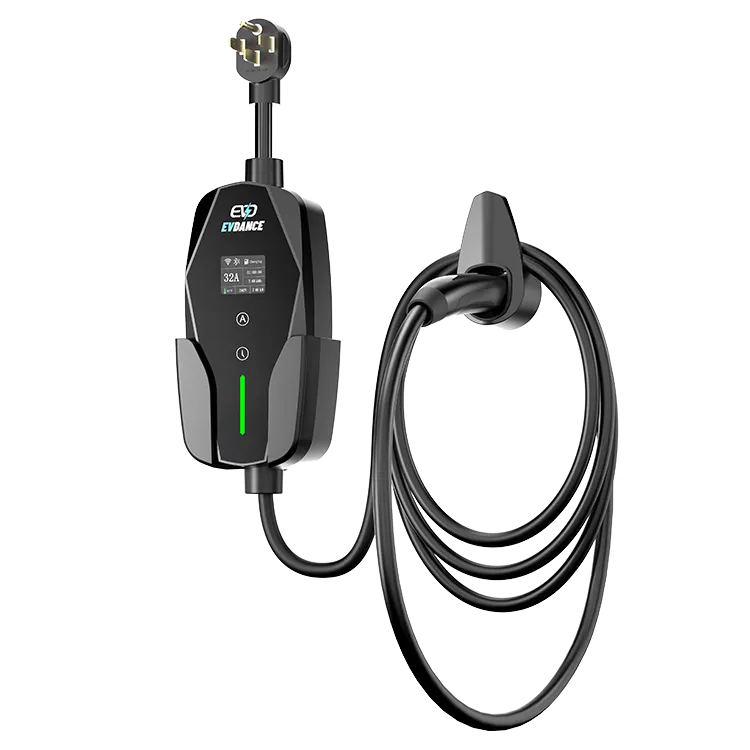
No EVDANCE listing states a solar-only or surplus mode, so there is no such setting to find on an EVDANCE charger. The EV-ACS3210T states current adjustable from 10 to 32 A in six steps, which suits the manual routine: read your surplus and pick the step at or below it. The EV-ACS3210E states app control and energy monitoring; it does not state a solar mode. If you need a feature confirmed, ask us in writing via the contact page.
Frequently Asked Questions
Why is there no solar option anywhere in my charger’s app?
Because the model does not state the feature. The app shows what the specification supports; a missing solar mode means the charger was not built with surplus sensing in mind.
Will solar-only charging always fill the car by the evening?
No. It delivers what the surplus delivers, and dull weather or a short parking window may not be enough. Drivers with deadlines use a stated boost behaviour where their model offers one, or accept a grid session.
Can a simple plug-in timer do the same job?
It can approximate the sunny hours. It cannot see surplus, so it will run at its set rate through cloud and shade alike.
Related Reading
- Solar Panels and EV Chargers: How to Charge Your Car With Sunshine
- Smart Charging and Time-of-Use Tariffs: How Scheduling Cuts EV Charging Costs
- What Is Dynamic Load Balancing, and Why Does Your Wallbox Need It?

