
Charging a CCS1 car at a Supercharger with a JT08 or JT09 is a short sequence: confirm your car maker approves a third-party DC adapter for your car and that the site is open to it, park so the cable reaches your inlet, fit the adapter onto the station’s NACS connector, plug the pair into your car until fully seated, and start the session by Tesla’s own method. Unplugging runs in reverse — and the adapter leaves with you.
Key Takeaways
- Two checks before the trip — maker approval and an open site — and four steps at the stall.
- Adapter onto the station connector first, into the car second; removal runs in reverse.
- The car and station displays are the witnesses; the rate is the car’s, and it tapers.
- The adapter always leaves with you — approval is per car, never lent with the part.
Before You Go
- Approval checked. Your car maker’s current guidance approves a third-party DC adapter for your exact model — not assumed, read.
- Site checked. Tesla’s current station information shows the site open to your car. Open sites change; check for this trip, not from memory.
- Adapter inspected. Both faces clean and dry, no cracks, no damaged contacts. A damaged DC adapter is retired, never used carefully and never repaired at home.
- Port position known. Supercharger cables are short. Know where your car’s charge port sits before you choose how to park.
At the Stall, Step by Step
| Step | What you do | What confirms it |
|---|---|---|
| 1. Park | Position the car so the station’s cable reaches your inlet without strain | The connector reaches the inlet with slack to spare |
| 2. Fit the adapter | Push the JT08 or JT09 onto the station’s NACS connector until it is fully seated | No gap at the joint; the pair moves as one piece |
| 3. Plug into the car | Push the combined connector into your CCS1 inlet, square and fully home | The connector seats completely — a half-seated DC connection will not start |
| 4. Start the session | Start charging by Tesla’s own method for that site, following its current instructions | The station and your car’s display show the session starting |
| 5. Charge | Let the session run; the car’s dashboard and the station display are your witnesses | Energy delivered climbs; the rate is your car’s and tapers as the battery fills |
| 6. Finish | End the session first, then unplug from the car, then separate the adapter from the station connector | Station connector back in its holder — adapter in your hand, not left behind |
If the Session Will Not Start
Work the observable checks only: reseat both joints firmly, confirm the site is open to your car, and confirm your maker’s approval covers the adapter. A session that still refuses is a diagnosis topic of its own — do not force connectors, and do not retry a damaged adapter.
The JT08 and JT09 on the Day
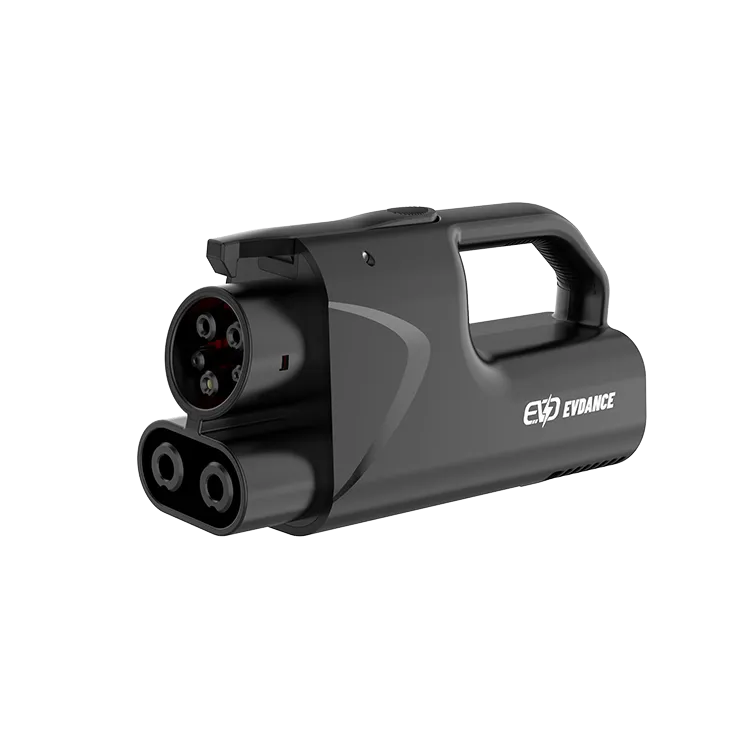
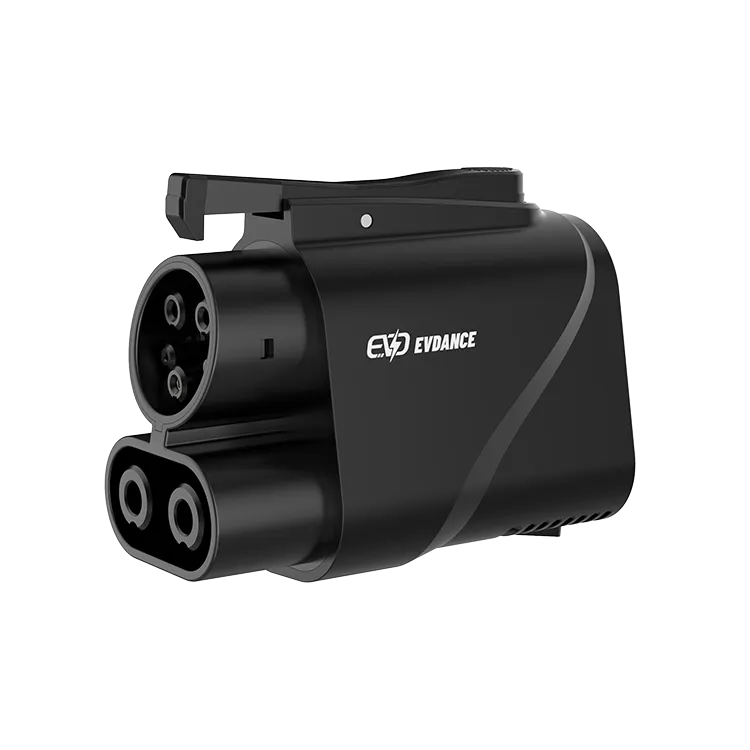
The sequence above is identical for both parts. The EVDANCE JT08 is the handleless form; the EVDANCE JT09 adds a handle, which earns its keep on cold or wet stops when the station’s cable is stiff. Both are NACS-to-CCS1 DC adapters in the 250 kW family, rated up to 500 A with IP66 sealing, and both carry the opening’s conditions: maker approval for your car, and a site open to it, checked on the day. Can I use a Tesla charger for other cars? covers the access side in full.
Frequently Asked Questions
Which end do I connect first?
Adapter onto the station’s connector first, then the pair into your car. Removal reverses it: end the session, unplug from the car, then separate the adapter from the station connector.
Can I leave the adapter on the station connector for the next driver?
No. The adapter is your part, and approval is per car — the next driver’s maker approval is theirs to hold, not yours to lend. The adapter leaves with you, every time.
How long will a session take?
It depends on the station, your car’s acceptance and the battery’s state. As labelled arithmetic: at a steady 100 kW, 20 kWh takes about 12 minutes — before taper slows the rate as the battery fills. U.S. DOT puts the DC fast class at 50–350 kW; your car’s curve decides where in it you sit.
Related Reading
- Can I Use a Tesla Charger for Other Cars?
- Is the Tesla Charger NACS? NACS, J3400 and Adapters Explained
- Are EV Charging Adapters Safe?

