
Yes — fine dust is a real enemy of a home EV charger, and the fix is mostly preparation. Dust coats the connector contacts, settles in vent slots and grinds into seals. Before a storm, dock the connector and cap the inlet; after it, wipe and brush only the outside. The sealed casing does its part, but never open the charger to clean inside it.
Key Takeaways
- Before a storm: dock the connector, cap the inlet, coil the cable, store portables indoors.
- After a storm: brush and wipe the outside only — never open the unit or drive grit past the seals.
- Check the connector face before plugging in; a dusty connection runs hot.
- Dust inside the display or a charger that keeps slowing down means stop and call the manufacturer.
What Dust Actually Does
- On the contacts. A film of fine dust between connector and inlet makes a poor connection — and poor connections are where heat builds up.
- In the vents. Dust settles in cooling slots. A charger that cannot shed heat slows itself down or stops, especially where dust and heat arrive together.
- In the moving parts. Grit works into the latch and the connector seal, where it acts like sandpaper every time you plug in.
- On the cable. A cable left in a dusty driveway gets grit ground into its jacket.
Choosing equipment for dusty, hot regions — ratings, shade and siting — is covered in our guide to hot-climate EV charging. This article covers the care routine once the charger is on your wall.
Before a Dust Storm
- Dock the connector. In its holster, or with its cap on, the contact face stays clean. A connector left on the ground is the first thing the dust finds.
- Cap the car’s inlet if it has one, and coil the cable off the ground.
- Bring a portable charger indoors if it unplugs easily. Ten seconds of storage beats an hour of cleaning.
- Leave covers as they are. If you use a cover the manual allows, check it is secure — a loose cover flaps in storm wind and rubs grit across the housing.
After the Storm: Clean the Outside Only
- Brush and wipe. A soft dry brush, then a cloth, takes dust off the housing, vent slots and cable. Work from the outside only.
- Check the connector face before you plug in. If dust is sitting on the contacts, use the dry method in our connector cleaning guide. Never use a wet wipe, solvent or spray on the connector.
- Do not force dust deeper. Blasting air or water at the unit can drive grit past the seals. Gentle brushing clears the surface without pushing anything in.
- Never open the unit. There are no user-serviceable parts inside; dust in the casing is a manufacturer’s job.
| Dust problem | Safe response | Never do this |
|---|---|---|
| Film over the housing and display | Soft dry brush, then a cloth | Pressure washer or hose jet at the seams |
| Dust on the connector face | Dry method from the connector guide; check before plugging in | Wet wipes, solvents or blowing grit across the pins |
| Dust packed in vent slots | Brush the slots from outside so the unit can cool | Poking tools into the vents or opening the casing |
| Grit in the latch | Brush it dry; work the latch gently | Forcing a stiff latch or oiling it unless the manual says so |
| Dust or fogging inside the display | Stop using it and contact the manufacturer | Drying it out yourself and carrying on |
Chargers That Make Dust Easier to Live With
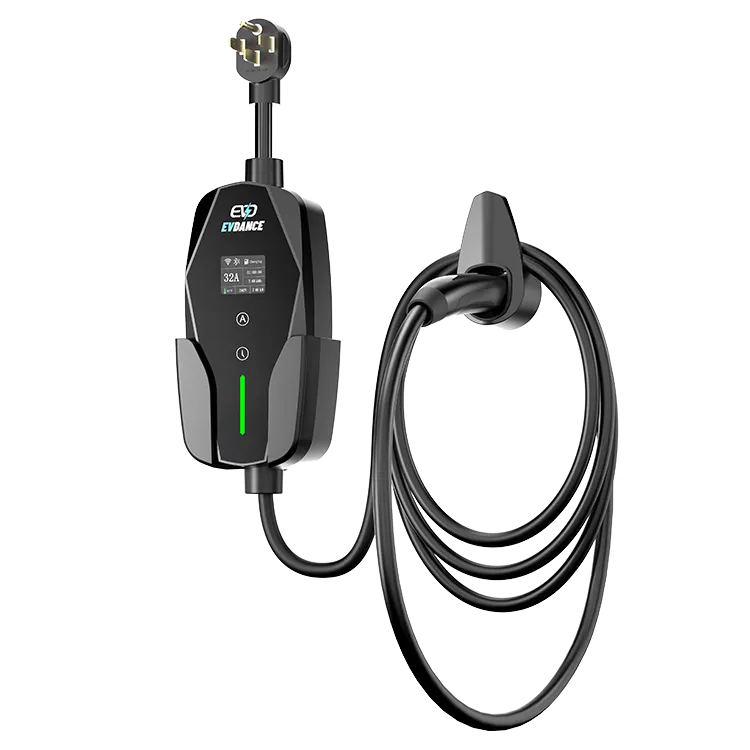
The IP rating is your starting point: the first digit covers dust, and IP6X units are dust-tight at the casing. The EVDANCE EV-ACT3204PE 22 kW wallbox is rated IP66, with a tethered cable or socket and RFID and app control. The EV-ACS3210T portable charger is IP66 and stores indoors between sessions. As our guide to portable charger waterproofing explains, the rating covers the sealed unit — the exposed face still depends on your routine.
Frequently Asked Questions
Is an IP66 charger dust-proof forever?
The casing is dust-tight when new, but seals age and the connector face is exposed every session. The rating lowers the risk; the dock-and-wipe routine handles the rest.
How often should I clean a charger in a dusty area?
After every dust storm, and whenever you can see a film on the unit. In a very dusty season, a connector check before each plug-in is the habit that matters most.
Can dust make a charger overheat?
It can contribute: dust in the vents reduces cooling, and a dusty connection runs hotter than a clean one. If the charger keeps slowing down on hot, dusty days, clean the outside first, then contact the manufacturer if it persists.
Related Reading
- Hot-Climate EV Charging: Protecting Chargers From Desert Heat and Sun
- How to Clean an EV Charger Connector
- IP Ratings for EV Chargers: IP54, IP65 and IP66 Compared
- Are Portable EV Chargers Waterproof? IP Ratings Explained for Drivers

