
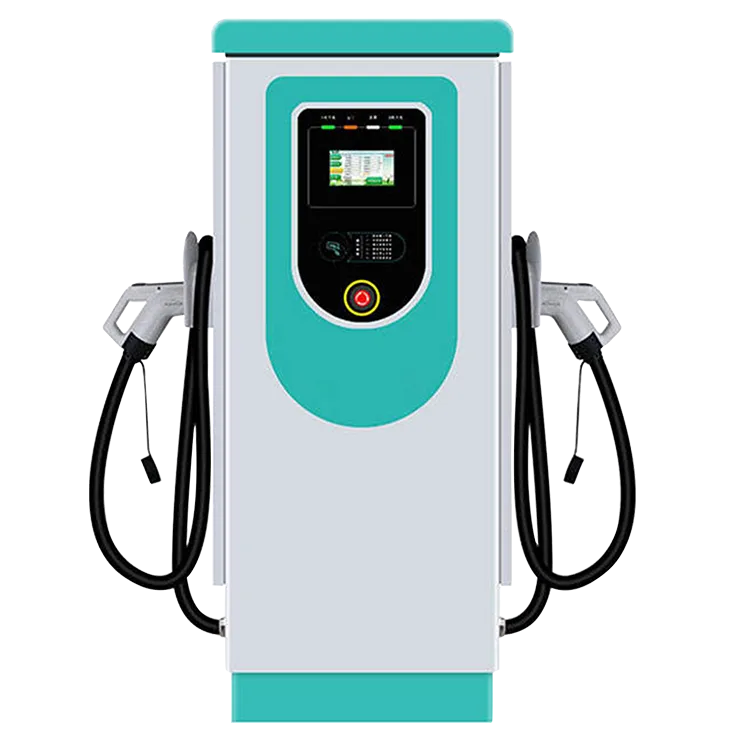
A station showing offline in the back office has lost its reporting link, not necessarily its power. The EV-AC03201T reports to your platform over OCPP 1.6J; when that link drops, the platform goes blind while the station hardware is a separate question. Work three layers in order — the station, the site’s network path, and the platform. Each layer has a different owner.
Key Takeaways
- Offline describes the OCPP reporting link first — check the station’s power and screen before concluding anything.
- Work the layers in order: station, site network path, platform. Each has a different owner.
- Scope is the diagnosis: one station, one site, or the estate decides whose phone rings.
- Offline behaviour is not in this model’s published specification — settle it in writing before an outage, and set driver policy from the confirmed answer.
Three Layers, Three Owners
| Layer | What you can observe | Whose job it is |
|---|---|---|
| The station | Power present? The 7-inch touchscreen alive? Bays and connectors as they should be, on site | If the station is dark, the supply is the question — your installer or electrician |
| The site’s network path | Are other devices on the same connection online? Router and switch state; recent changes — a new router, a provider swap, building works | The site’s IT or network provider |
| The platform | Does the back office show your other stations? Any incident notice from the provider? | The platform provider |
The split matters because the layers mimic each other — a dead router and a dead platform both present as a grey station icon. The middle column is everything an operator can observe without opening anything, and it is enough to route the call correctly.
Isolate the Scope Before You Call Anyone
- One station offline, the site’s others online: the station itself, or its own connection drop, is the suspect.
- Every station at one site offline: the site’s network path — one shared connection explains the whole row.
- Stations at several sites offline together: the platform side — no site change explains an estate-wide pattern.
Note when the back office last saw the station, as the platform displays it, and anything that changed at the site that day. Connectivity and charging are separate paths — the point our guide to whether home chargers need Wi-Fi makes for home units applies at network scale: a blind platform is not proof of a dead charger.

What the Listing Does Not Tell You
The published specification for the EV-AC03201T states OCPP 1.6J — and nothing about offline behaviour. It does not say whether drivers can start a session while the station is unreported, whether RFID cards are authorised locally or only by the platform, or whether session data is held and forwarded when the link returns. Each is a written question — for the manual, for EVDANCE and for your platform — best settled before an outage, not during one. Until you hold those answers, what drivers may do at an offline station is your operating policy, set by you; it is not a feature this listing claims. Our guide to RFID and user management covers the card questions to pin down — as questions, not as this station’s stated behaviour.
The Escalation Record
- Site and station identity, as named in your platform
- When the station was first noticed offline, and when the back office last saw it
- The scope: one station, one site, or the estate
- On-site observations: power, screen, other devices on the same connection
- Any network change at the site that day
- The platform ticket reference, if one is raised
Route the record by the layer the scope points to: the platform provider for the back-office side, your network provider for the site’s path, and EVDANCE for the station itself — the hardware stands behind the 3-year standard warranty, and questions go through EVDANCE support with the record attached.
Frequently Asked Questions
Can drivers still charge while the station shows offline?
The listing does not say. Offline behaviour — starting sessions, authorising cards, holding data — is not in the published specification for this model. Confirm it in writing with EVDANCE and your platform, and set your driver signage and policy from the confirmed answer.
Is the session data from the outage lost?
Also not stated. Whether the station stores records and forwards them when the link returns is a written question for the manual and your platform; what you can verify today is what your platform already holds.
The whole site is offline but the stations have power. Who do I call?
Your site’s network provider. Power at every station plus a site-wide offline pattern points at the shared connection — the stations and the platform are both waiting on the same path.
Related Reading
- OCPP Explained: What Charge Point Operators Need From EV Charger Hardware
- RFID and User Management for Shared EV Chargers
- Do Home EV Chargers Need Wi-Fi?
- Why Is My Electric Car Charger Not Working? A Driver’s Checklist

