
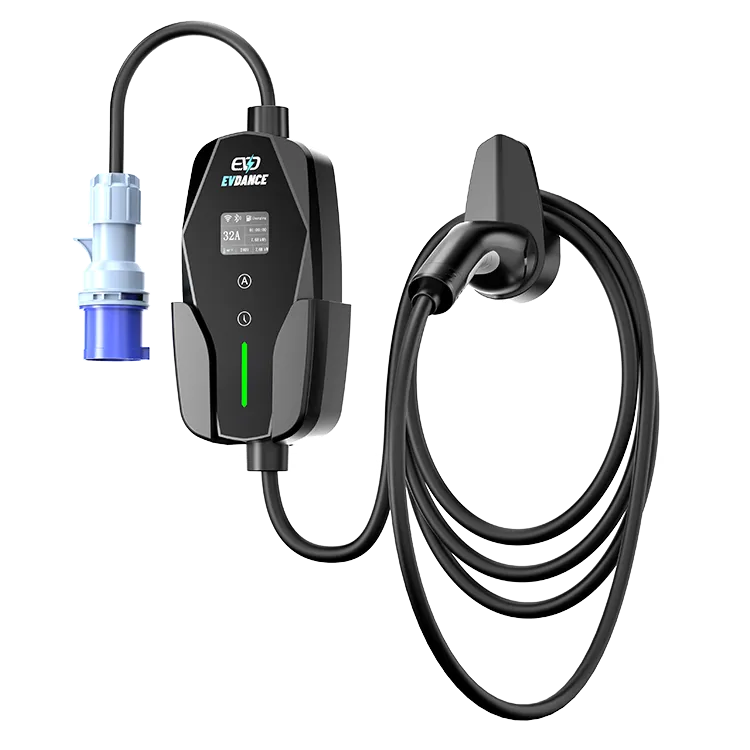
To connect a charger to an OCPP platform, the platform needs four things: a matching protocol version, a reliable network path, the charger configured with the platform’s server address, and a unique charge point identity with any security credentials. The EV-ACS3210E is OCPP-ready, and its product page lists OCPP 1.6J and 2.0.1. Confirm the firmware version and supported features with EVDANCE before a project, then test on a sample.
Key Takeaways
- Match protocol version, network, server URL and charger identity.
- Test every feature on a sample, not just the connection.
- OCPP lets you change platforms without changing hardware.
What OCPP Does
The Open Charge Point Protocol lets a charger talk to a central management system. Through it, an operator can authorize sessions, read meter values, set charging profiles, update firmware and see faults. Because it is an open protocol, the same charger can work with different platforms. Our guide OCPP explained covers the basics.
OCPP has also become a procurement requirement. In the United States, the federal NEVI standards in 23 CFR Part 680 require federally funded chargers to communicate with a charging network using OCPP. Even outside funded projects, many property owners now ask for OCPP so they are not locked into one software provider for the life of the hardware.
Integration Checklist
| Requirement | What to confirm | Notes |
|---|---|---|
| Protocol version | 1.6J or 2.0.1 on both sides | Use one version consistently across a site |
| Network | Wi-Fi coverage or other link at the parking spot | Test signal strength where the charger sits |
| Server URL | WebSocket address from the platform | Entered during charger setup |
| Charge point ID | Unique identity per unit | Matches the platform record |
| Security | Password or certificate profile if used | Agree the security profile in advance |
| Features | Remote start/stop, meter values, smart charging profiles, firmware update | Test each one, not just connection |
| Time sync | Correct time on the charger | Needed for accurate session records |
Test Before You Scale
- Connect one sample charger to the platform’s test environment.
- Run real sessions and check meter values arrive correctly.
- Test remote start, remote stop and a charging profile that limits current.
- Simulate a network drop and confirm sessions are stored and sent later.
- Perform a firmware update over the air.
Our article on testing a sample before a bulk order gives a wider test plan, and white-label charger apps covers branded apps for end users.
Portable Chargers on OCPP Platforms
A portable unit on OCPP suits small fleets, workplaces with flexible bays and property managers who want data without fixed wallboxes. The charger needs network coverage wherever it is used. For fixed public bays with RFID and many users, a wallbox or station is usually a better match.
The EV-ACS3210E is a Type 2 portable charger with app control, energy monitoring, OCPP readiness, adjustable current from 10 A to 32 A, an IP65 rating and a 7.5 m cable. Integration and private-label projects can start through the EVDANCE OEM program.
Frequently Asked Questions
Which OCPP version should I use?
Use the version your platform supports best. Many networks still run 1.6J; 2.0.1 adds newer features. Keep one version per site.
Does OCPP need internet at the charger?
Yes. The charger needs a network connection to reach the platform. Test coverage at the parking spot.
Can I switch platforms later?
Usually, because OCPP is open. You reconfigure the server address and identity on each charger.
Related Reading
- OCPP Explained: What Charge Point Operators Need From EV Charger Hardware
- How to Test an EV Charger Sample Before Placing a Bulk Order
- White-Label Apps for Smart EV Chargers: What Brands Should Know
- Smart vs Non-Smart EV Chargers: What Installers Actually Want

