
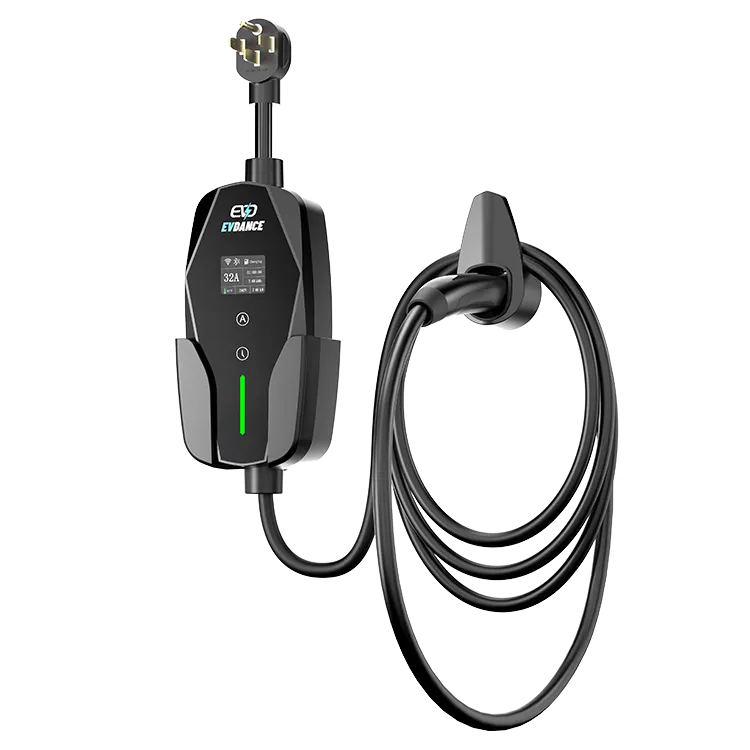
On a charger with one fixed rate, a screen is a courtesy. On the EVDANCE EV-ACS3210T, with six current steps from 10 A to 32 A, the 1.77-inch screen is a safety check: it puts the session in front of you — the step in use and the draw it produces — so a wrong setting is caught in the first minute instead of the morning after. The exact on-screen labels and layout are defined in the manual; this guide covers what to look for.
Key Takeaways
- On a six-step charger, the screen’s main job is confirmation: the right step, on this circuit, before the session settles.
- Read it three times: at selection, in the first minutes, and at unplugging.
- A draw below your step is usually the car deciding, not the charger failing.
- A fault indication is to be recorded exactly and followed up through the manual and the manufacturer — never interpreted into a repair.
Why Confirmation Matters More on a Six-Step Charger
Every step on this charger belongs to a different size of circuit. Set the step once at home and it is easy to forget the charger travels with the setting, not with the house: the unit that ran at 32 A on your own 40 A circuit is the same unit you plug into a smaller circuit at a cabin or a relative’s house. The reverse mistake costs a night instead of a breaker — a step left low from a weak circuit, discovered only at departure time. In both directions, the screen is where the mistake is visible, if you look before the session settles in.
Three Moments to Read It
| Moment | What to look for | What it tells you |
|---|---|---|
| Before the session starts | The current step currently selected | That the step matches the breaker behind this outlet — the check that prevents the wrong-setting session |
| The first few minutes | The live draw settling at or below your step | The session is running at the rate you chose — or the car is asking for less, which is the car’s decision, not a fault |
| When you unplug | The energy the session delivered | Your record for cost and range: multiply by your tariff to price the session |
The third reading is the one drivers end up using most. Session energy turns charging cost from a feeling into a number: a session that delivered 25 kWh at the US average residential price of 18.31 cents per kWh (tracked by the US Energy Information Administration) cost about $4.58 — a worked example, before any charging losses. Displays in the wider feature picture: wallbox features: display, scheduling and load management.

When the Screen Shows Words, Not Numbers
A fault indication is a different kind of signal from a reading, and it should be handled differently. Do not interpret it into a repair, and do not keep restarting the session to see if it clears. Stop charging, and note the indication exactly as shown before you unplug — a photograph is ideal — because that wording is the first thing the manual’s troubleshooting section, and then the manufacturer’s support, will ask for. Work through the owner-level checks in why your charger is not working; if the indication keeps returning, that is a warranty conversation, not a DIY one — EVDANCE chargers carry a standard three-year warranty, and the company has made charging equipment since 2011. Reading fault signals generally is the same discipline as in why an EV charger flashes red.
The Habit to Build
The EV-ACS3210T pairs its screen with six steps from 10 to 32 A, a NACS connector, a NEMA 14-50 plug and an IP66-rated body. The screen earns its place if it becomes part of the plug-in routine: connect, glance, confirm the step belongs on this circuit, walk away. Ten seconds, at the one moment when a setting mistake is still free to fix.
Frequently Asked Questions
The draw on screen sits below the step I selected. Is the charger faulty?
Usually not. The car sets the pace within the ceiling you select — a lower acceptance rate, or tapering near full, both pull the draw below the step. The step is a limit, not a promise; the screen is showing you the car’s decision.
Does the screen set the charging current?
The step is selected on the charger; the screen confirms it. Glance before the session runs — sizing comes from the circuit’s breaker, not the display.
Can the screen tell me whether my circuit is big enough?
No. Circuit size is decided from the panel and the breaker before anything is plugged in; the screen confirms the session, it does not certify the wiring.
Related Reading
- Wallbox Home Charger Features Explained: Display, Scheduling, and Load Management
- Why Is My Electric Car Charger Not Working? A Driver’s Checklist
- Why Is My EV Charger Flashing Red?
- Do Portable EV Chargers Work? How Speed Depends on the Outlet
Sources & Standards
- DOE Alternative Fuels Data Center — Charging EVs at Home — home charging equipment and session basics.
- US EIA — Retail Electricity Prices — the residential price behind the worked cost example.

