
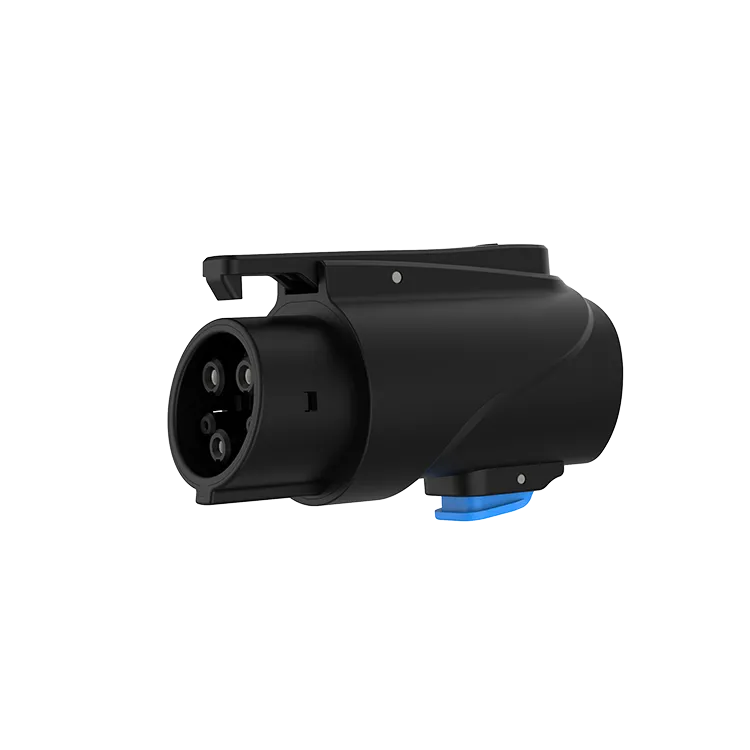
Clean a charging adapter only when it is disconnected from both the charger and the car. Use a dry, lint-free cloth or soft brush for dust, let any moisture evaporate naturally in a warm, dry place, and never spray liquids or push metal objects into the contacts. For the JT02, which has silver-plated copper terminals and IP65 protection, gentle routine cleaning and dry storage keep the contacts in good condition.
Key Takeaways
- Clean only when disconnected from charger and car.
- Use a dry cloth or soft brush; no liquids or metal tools.
- Let trapped moisture dry naturally before use.
- Replace adapters with heat damage or bent pins.
When to Clean
| Situation | Action |
|---|---|
| Visible dust or grit on the faces | Brush or wipe while disconnected |
| Adapter dropped on a dirty floor | Inspect and clean before next use |
| Used in rain, then stored wet | Let it dry fully before use or storage |
| Charging interrupts or will not start | Inspect contacts; clean if dirty |
| Burn marks, melting or bent pins | Do not clean; stop using and replace |
Safe Cleaning Steps
- Disconnect the adapter from both the charger and the car.
- Look into both ends with a light for dust, insects, moisture or damage.
- Remove loose dust with a soft, dry brush or by gently tapping the adapter face-down.
- Wipe the outer surfaces and faces with a dry, lint-free cloth.
- If the manufacturer’s instructions allow a specific contact cleaner, use only that, sparingly, and let it evaporate fully.
- Do not use water sprays, solvents, abrasive pads, metal tools or compressed air at high pressure into the contacts.
Our guide to cleaning a charger connector applies the same principles to cables.
Drying After Moisture
IP65 means the adapter resists dust and water jets, but water trapped in a connector after a downpour should still be allowed to dry before use. Leave it in a warm, ventilated place, faces open, for several hours. Do not use a hair dryer on high heat or an oven. If you see corrosion or residue on the terminals after drying, contact the supplier. Corrosion raises contact resistance, which leads to heat at the connection, so it is not something to polish away with an abrasive pad.
A quick routine helps: look into both ends of the adapter each time you take it out of its pouch. Most problems, such as a small stone, a spider web or a drop of water, are visible in a second and easy to deal with before they cause an interrupted session.
Prevent Dirt in the First Place
- Store the adapter in a pouch or case with any caps fitted.
- Do not leave it on the ground at a charger.
- Keep it away from oil, sand and road salt.
Read storage tips and adapter safety.
The JT02 is a NACS-to-J1772 AC adapter rated up to 80 A and 250 V AC, with silver-plated copper terminals and IP65 protection. It is for AC charging only.
Frequently Asked Questions
Can I clean an EV adapter with water?
No. Use a dry cloth or soft brush. Do not spray water or liquids into the contacts.
How long should a wet adapter dry?
Several hours in a warm, ventilated place, until no moisture is visible.
What signs mean an adapter should be replaced?
Burn marks, melting, cracks, bent or loose pins, or repeated heat during charging.
Related Reading
- How to Clean an EV Charger Connector
- How to Store a Portable EV Charger and Its Cable
- Are EV Charging Adapters Safe?
- Can You Charge an Electric Car in the Rain?

