
Managing RFID cards for a large team works best with a written process: one owner for the card list, cards issued against named users, groups by department or cost centre, prompt deactivation when people leave, and a monthly audit. The EV-ACT3204E supports RFID authorization, and with an OCPP management platform you can manage cards centrally across many chargers rather than unit by unit.
Key Takeaways
- One owner and a written process keep card lists accurate.
- Central OCPP management suits large, multi-charger teams.
- Link card deactivation to the HR leaving process.
- Treat card lists as personal data.
Local Lists vs Central Management
| Approach | How it works | Suits |
|---|---|---|
| Local list on each charger | Cards stored on the unit | A few chargers, small teams |
| Central OCPP platform | Cards authorized by the back office | Many chargers, large teams, multiple sites |
| Hybrid with local cache | Central list with offline backup on the charger | Sites with occasional network outages |
For large teams, central management saves time and keeps the list consistent across every charger. It also means one change, such as deactivating a card, takes effect everywhere at once instead of relying on someone to visit each unit. If your site has patchy network coverage, ask whether the charger keeps a local cache of authorized cards so drivers can still start sessions during an outage.
The Card Lifecycle
- Request: employee asks through a simple form or IT ticket.
- Issue: record card number, name, department and vehicle.
- Group: assign to a group with its own rules, such as hours, maximum current or cost centre.
- Replace: handle lost cards by deactivating the old number first.
- Deactivate: remove cards on the employee’s last day, linked to the HR leaving process.
- Audit: monthly check for unused cards, duplicates and unknown numbers.
Our guides on RFID user management and what an RFID charging card is explain the basics.
Rules That Keep Bays Moving
Large teams often have more EVs than chargers. Card groups can support fair-use rules:
- Limit session length or require cars to move when charging finishes.
- Prioritise fleet vehicles during working hours.
- Reserve some bays for visitors with temporary cards.
- Publish the rules clearly and review them as EV numbers grow.
See how to plan a workplace charging program for policy ideas.
Security and Privacy
Card numbers link to people and their parking times, so treat the list as personal data. Restrict who can edit it, keep it on the management platform rather than spreadsheets passed around by email, and follow your organisation’s data protection policy. Ask the platform provider about access logs and data retention.
Hardware Notes
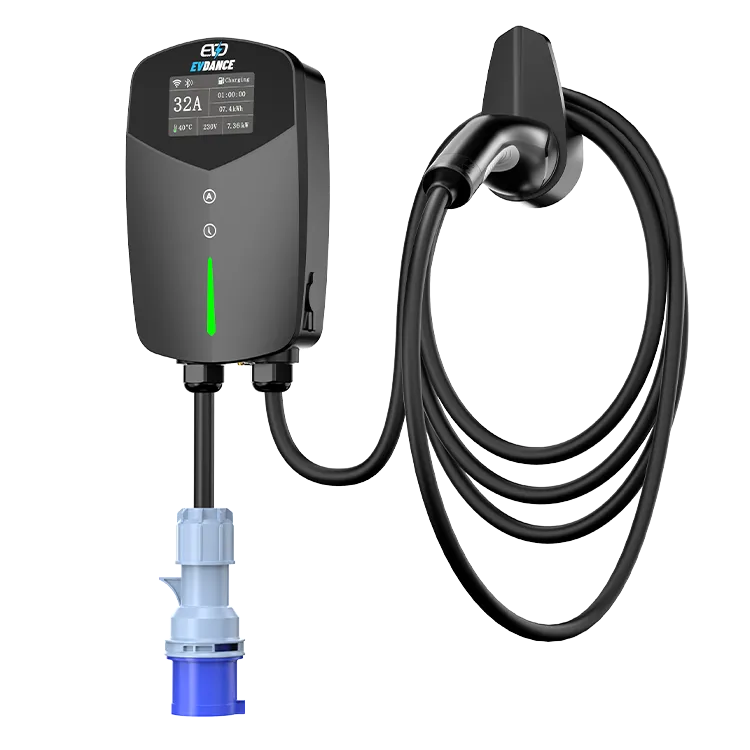
The EV-ACT3204PE is a 22 kW three-phase wallbox at 32 A and 380 to 400 V, with a tethered Type 2 cable, RFID and app control, hard-wired installation, an IP66 enclosure and CE and RoHS marks. Order spare cards with the chargers so new starters are not waiting. For a whole-site plan, see EVDANCE commercial charging.
Frequently Asked Questions
How many RFID cards can a charger hold?
It depends on the charger and whether cards are stored locally or on a platform. Central OCPP management removes most practical limits.
What happens when an employee loses a card?
Deactivate the old card number immediately, then issue a replacement linked to the same user.
Can RFID cards limit charging hours?
Many management platforms allow group rules such as permitted hours. Check your platform’s features.
Related Reading
- RFID and User Management for Shared EV Chargers
- What Is an RFID Card for EV Charging?
- How to Plan a Workplace EV Charging Program
- How Do I Get an RFID Card for Electric Car Charging?

