
The reports do not live in the charger. On a networked station like the EV-AC03201T, each session is reported over its OCPP 1.6J connection to the operator’s back office, and that platform — not the station’s screen — is where usage reports, energy totals and session logs are kept and pulled from.
Key Takeaways
- Usage, energy and session reports live in the operator’s platform, fed by OCPP 1.6J session records.
- The log is per connector and per RFID identity, which is what makes utilisation, reconciliation and dispute questions answerable.
- Retention, exports and report layout are platform terms — check them before you sign, not after a dispute.
- Session logs identify drivers, so their storage and access are the operator’s own data-handling decisions.
From Connector to Back Office: Where the Record Sits
A session starts when a driver authenticates and ends when the car unplugs or stops it. Along the way the station reports the session’s start, energy and end to its platform. The platform holds the history: every session is a line in a log, and reports are views over those lines.
The division of labour matters when something looks wrong. The station’s 7-inch touchscreen is the driver’s interface for the session happening now; it is not the archive. The back office is the operator’s memory — across both connectors and across months. An operator who runs a station without a platform connection has no report archive described in the station’s listing, so confirm what your setup keeps before you rely on it.

The Three Reports Operators Actually Pull
| Report | What it shows | What it settles |
|---|---|---|
| Usage report | Sessions per connector, hours each connector was occupied, busy times of day | Utilisation review: whether a second station is needed, or one connector is being blocked |
| Energy report | kWh delivered per connector, per day or per billing period | Reconciliation: charging energy and revenue set against the site’s electricity bill |
| Session log | Each session’s start, stop, energy delivered and RFID identity | Billing disputes, per-driver or per-vehicle records, and overstay patterns behind idle-fee questions |
The same log answers most operational questions because it is recorded per connector and per session. Our guide to planning a workplace charging program shows the management side of those records.
What the Reports Cannot Tell You
Three limits are worth knowing before trusting a report fully. First, how long logs are kept and how they can be exported are terms of your platform, not figures stated for the station — check them before a dispute depends on an old session. Second, a report shows recorded sessions: a connector that fails silently appears as an absence, not an alarm, so read the log alongside the platform’s status view when you investigate a quiet period. Third, session logs identify drivers by their RFID credential, which makes the log personal data about your users. How it is stored, who may see it and how long you keep it are your own data-handling decisions as operator — take advice on them.
The EV-AC03201T as a Data Source
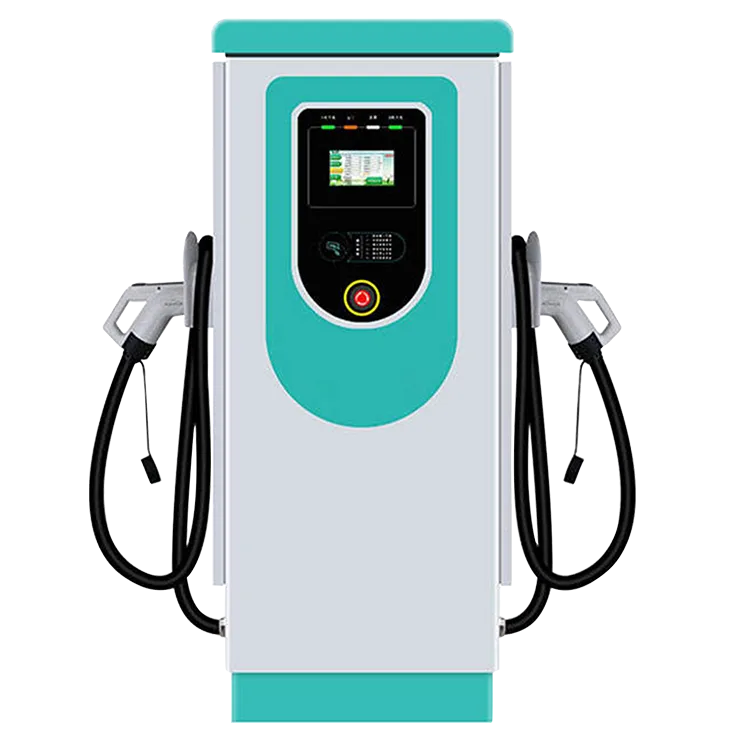
The EV-AC03201T is a floor-standing dual-connector AC station: two Type 2 connectors, up to 43 kW shared (22 kW per connector) with dynamic power allocation, OCPP 1.6J, RFID access, a 7-inch touchscreen and an IP54 enclosure. Two stated facts do the reporting work: OCPP 1.6J carries each session to the operator’s platform, and RFID access means each session starts from a known credential, so the log separates drivers as well as connectors.
What the reports look like — layout, views, exports — belongs to the platform the operator chooses, so ask a provider for sample reports before you sign, and check they answer the three questions in the table above. EVDANCE is a Shenzhen manufacturer founded in 2011; the station carries its 3-year standard warranty, and the wider commercial charging range sits behind the same back-office model.
Frequently Asked Questions
Can I pull reports from the station’s touchscreen instead?
The touchscreen is the driver’s interface for the current session. Report history sits in the back office, and the station’s listing does not state on-station report storage or export. Treat the platform as the archive, and confirm any local view in writing first.
How far back do session logs go?
That is set by your platform’s terms and your own data policy, not by anything stated for the station. Check retention when you choose the platform — a later dispute can only be settled from logs that still exist.
Can the reports separate the two connectors and different drivers?
Yes, at the level the data is recorded: sessions belong to one connector, and RFID-started sessions carry the card’s identity, so per-connector and per-user reports are the standard views an operator pulls from their platform. Confirm the exact views your platform offers before committing to them in a policy.
Related Reading
- How to Plan a Workplace EV Charging Program
- Fleet Depot Charging: How to Size AC Chargers for Vans and Light Commercial Vehicles
- Commercial EV Charger Maintenance Checklist

