
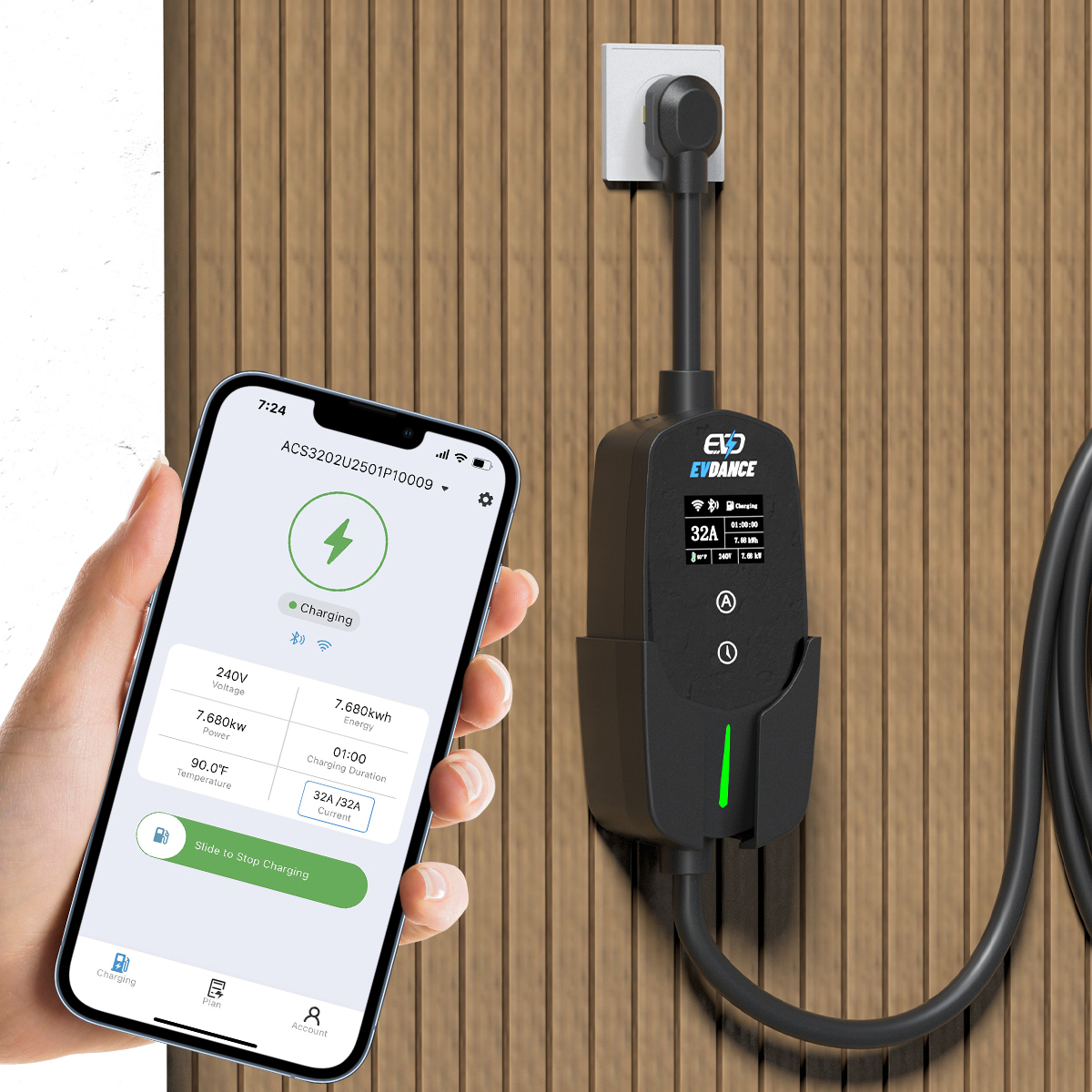
The EV-ACT3204E is listed with app control alongside its RFID reader, and the app is the surface where this wallbox’s two everyday jobs live: scheduling — telling the charger when to charge — and access settings — telling it who may charge. The listing names the app but does not publish its screens, so this guide maps each job honestly rather than inventing a menu path.
Key Takeaways
- The EV-ACT3204E lists app control with RFID; scheduling and access are the app’s two everyday jobs.
- Set one charging window against your tariff — and run one scheduler only, charger or car, never both.
- Access is two layers: RFID cards at the charger, household rules in the app; review both when drivers change.
- Menus and extra functions are not published in the listing — confirm them in the app or manual for your unit.
Two Jobs, Mapped Honestly
App feature lists get copied from charger to charger. This table sticks to the two jobs in the title and what the specification supports.
| App job | What it does | What to confirm on this unit |
|---|---|---|
| Scheduling | Holds a start time or charging window so the car charges inside set hours, typically an off-peak tariff window | That the current app version offers a timer, and whether it sets a start time, a window, or both |
| Access settings | Restricts who can start a session, working with the RFID card list | Which access controls sit in the app and which sit in the card list — the card side is covered in our RFID setup guide for this wallbox |
| Everything else | Records, limits and reports vary widely between charger apps | Do not assume a function exists because another charger’s app has it; check the manual for this model |
Our guide to wallbox features such as display, scheduling and load management shows the typical feature list for this class of charger — the manual for your unit decides what exists on your wall.
Scheduling: Set the Window Once
A schedule only earns its keep against a tariff: the point is to move charging into cheaper hours without staying up to plug in. The strategy is set out in our guide to smart charging and time-of-use tariffs. On the charger, the routine is short:
- Plug the car in when you get home; the schedule, not the plug-in moment, starts the session.
- Set one window that covers your off-peak hours with margin — a session that ends early is harmless, one cut off mid-charge is not.
- Use one scheduler, not two. If the charger holds the window, leave the car’s own charging timer off, and the other way round; two timers arguing is the classic reason a car is uncharged at 7 a.m.
- Check the first scheduled night in the app the next morning, before trusting the routine.
Access Settings: The App Side of the Gate
Access is a two-layer gate on this wallbox. The RFID card list decides at the charger — tap a registered card and a session starts. The app is where the household’s rules around that are managed: who is an authorised user at all. Our guide to RFID and user management for shared chargers explains how the layers combine on shared sites. For a home, the practical settings are simple: keep access restricted if the wallbox is reachable from the street, and review the authorised list when the household changes — a driver moving out should lose app and card access in the same week.
The Charger Behind the App
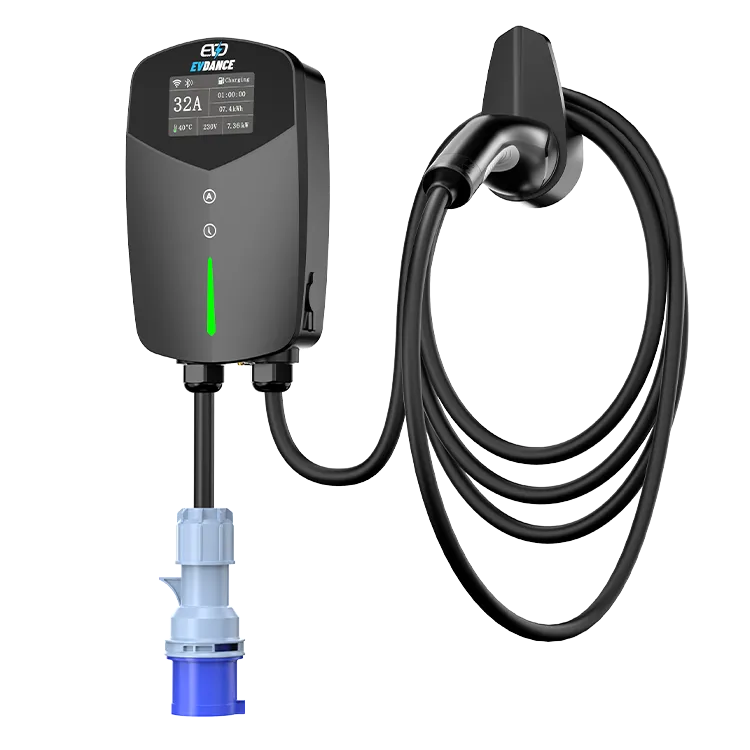
The EV-ACT3204PE is a 22 kW wallbox for three-phase supplies — 32 A per phase at 380–400 V — with a tethered Type 2 cable, RFID and app control, an IP66 housing and a CE mark, backed by EVDANCE’s 3-year standard warranty. The hardware’s job is charging; the app is the control layer on top. Judge the pair by the specification and the manual, not by an app-store description written for a whole product range.
Frequently Asked Questions
Do I need the app to charge at all?
Charging is the hardware’s core function, and the RFID reader authorises sessions locally. Expect scheduling and access rules to live in the app, but confirm in the manual which settings are app-only on your version.
Should I schedule in the charger app or in the car?
Either can hold the window; use one. The charger’s schedule travels with the house, which suits several cars taking turns. The car’s schedule travels with the car. Running both at once is the common cause of a session that never starts.
Can two phones control the same wallbox?
That depends on how the app handles accounts and sharing, which the product listing does not describe. Check the app or manual for account sharing before assuming a second driver can be added.
Related Reading
- Wallbox Home Charger Features Explained: Display, Scheduling, and Load Management
- Smart Charging and Time-of-Use Tariffs: How Scheduling Cuts EV Charging Costs
- RFID and User Management for Shared EV Chargers
- What Is Dynamic Load Balancing, and Why Does Your Wallbox Home Charger Need It?

