
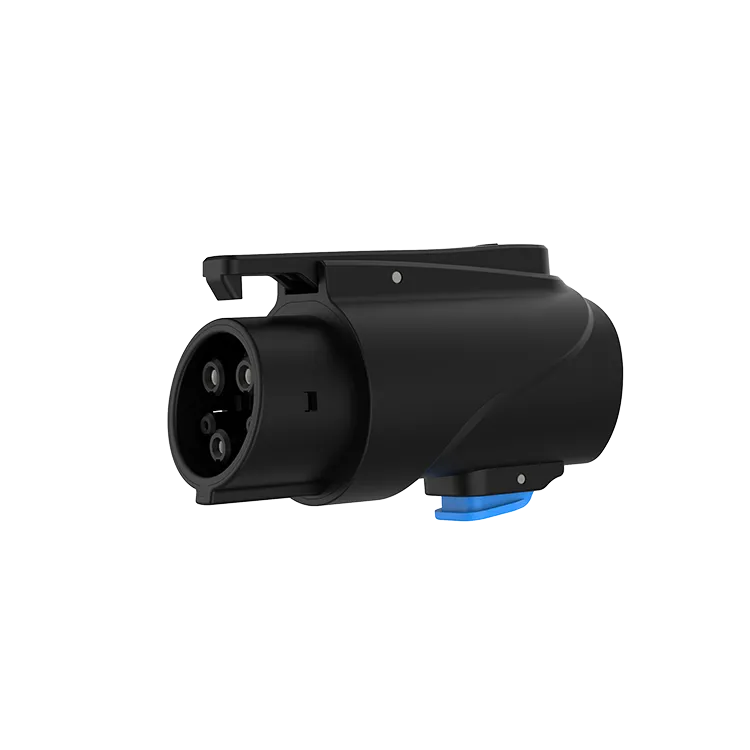
The most effective way to secure an AC adapter while charging is the car’s own charge-port lock, which holds the connector in place until you unlock the car. Many cars lock the connector during a session, which also secures an adapter attached between the charger and the car. Add simple habits, such as charging in visible locations and taking the adapter with you when you finish, rather than modifying the adapter.
Key Takeaways
- The car’s charge-port lock is the main security feature.
- Set lock behaviour so the connector stays locked until you return.
- Never modify an adapter to add locks.
- Store adapters out of sight when not in use.
How the Car’s Port Lock Helps
| Setting | What it does | Check |
|---|---|---|
| Lock during charging | Holds the connector in the car’s inlet until unlocked | Enabled in vehicle settings |
| Unlock when charging ends | Releases the connector automatically | May leave adapter free if you are away |
| Always locked | Keeps connector locked until the car is unlocked | Useful at public sites |
Not every car offers the same options, and the lock holds the adapter’s car-side end. Check your owner’s manual. If the charger end can be disconnected from the adapter, someone could still remove the charger connector, but the adapter itself stays attached to your car.
Practical Security Habits
- Charge in well-lit, busy areas when possible.
- Use the car’s lock settings so the connector stays locked until you return.
- Do not leave the adapter on the ground or on the charger when you leave.
- Store it out of sight in the car when not in use.
- Mark it discreetly with your name or a code for identification.
Our article on protecting charging cables from theft covers similar steps for cables, and what to do if a charger will not disconnect explains lock behaviour.
What Not to Do
Do not drill, glue or modify the adapter to add locks. Any modification can damage seals, contacts or insulation and void the warranty. Do not wrap the adapter in tape to hide it during charging; that traps heat. If a third-party lock is offered for your car’s inlet, check that it is approved by the vehicle manufacturer.
At Home and at Work
At home or at a workplace, theft risk is lower. Store the adapter in a pouch with your charger, or keep a business adapter at reception. Read storage tips. Keeping the adapter in the same place every time also means you will notice quickly if it goes missing, and you will not drive off to a hotel without it.
The JT02 is a NACS-to-J1772 AC adapter rated up to 80 A and 250 V AC, with silver-plated copper terminals and IP65 protection. It is for AC charging only and must not be used at DC fast chargers.
Frequently Asked Questions
Can someone steal my adapter while I charge?
It is harder if your car locks the connector during charging. Use lock settings and charge in visible places.
Should I add a lock to the adapter?
Do not modify the adapter. Use the car’s lock and good habits instead.
Does the car lock release when charging ends?
Some cars release automatically. Check your settings if you want it to stay locked until you return.
Related Reading
- Can EV Charging Cables Be Stolen? How to Lock and Protect Yours
- Why Won’t My EV Charger Disconnect? Stuck Connector Fixes
- How to Store a Portable EV Charger and Its Cable
- Can Home EV Chargers Be Locked?

