
Many NACS fast-charging stalls were designed around a charge port at the rear left corner of the car, and their cables are relatively short. SUV owners whose port is on the front, right side or elsewhere may need to park differently, sometimes across two stalls, to reach. With a DC adapter like the JT08 or JT09, the adapter adds a little length but also weight at the end of the cable, so plan your parking before you plug in.
Key Takeaways
- Plan parking around your SUV’s port location.
- Support the cable to avoid strain on the adapter and inlet.
- Use end stalls and move promptly if you must block a neighbour.
- Confirm automaker approval and station access first.
Port Location and Parking Options
| Port location | Typical approach at older stalls | Watch out for |
|---|---|---|
| Rear left | Reverse into the stall | Usually straightforward |
| Rear right | Reverse in, possibly offset in the stall | Cable may cross the bay line |
| Front left | Pull in nose first if reach allows | Cable may not reach |
| Front right | Often hardest; may need to use an end stall | Blocking a neighbouring stall |
| Side mid-car | Position carefully alongside the post | Cable strain |
Some newer sites have longer cables or pull-through bays for larger vehicles. Use the network app to find suitable sites, and read the cable length guide for how reach affects layouts.
Etiquette When You Must Use Two Stalls
If reaching your port requires blocking another stall, choose an end stall or a quiet time, stay with the car, and move as soon as you finish. Some networks’ apps show which stalls suit vehicles with different port positions. Read how to use a public charger for general etiquette.
Managing Weight and Strain
- Support the station cable so it does not pull down on the adapter and your car’s inlet.
- Avoid sharp bends where the cable meets the adapter.
- Make sure the connection is fully seated and latched before starting.
- If the cable is under tension, re-park rather than forcing it.
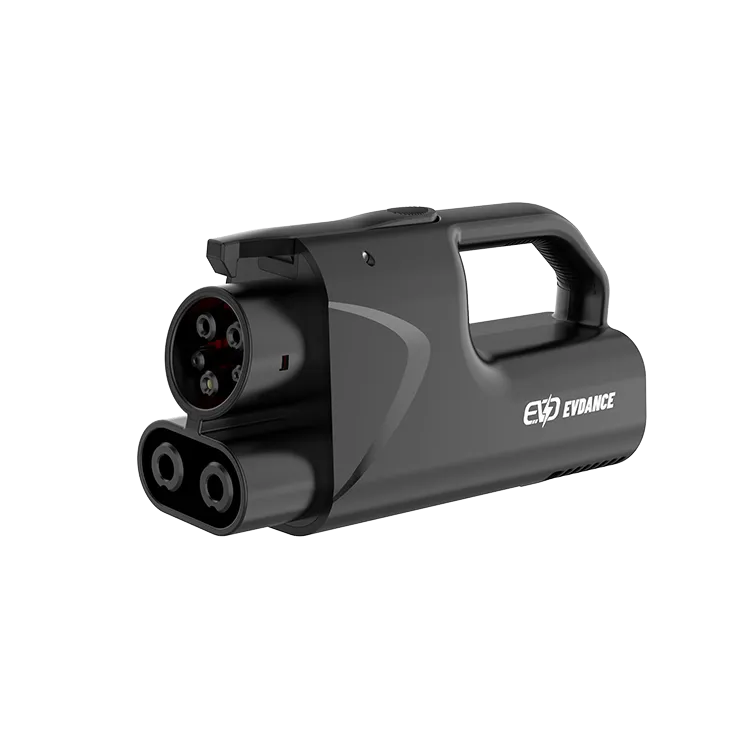
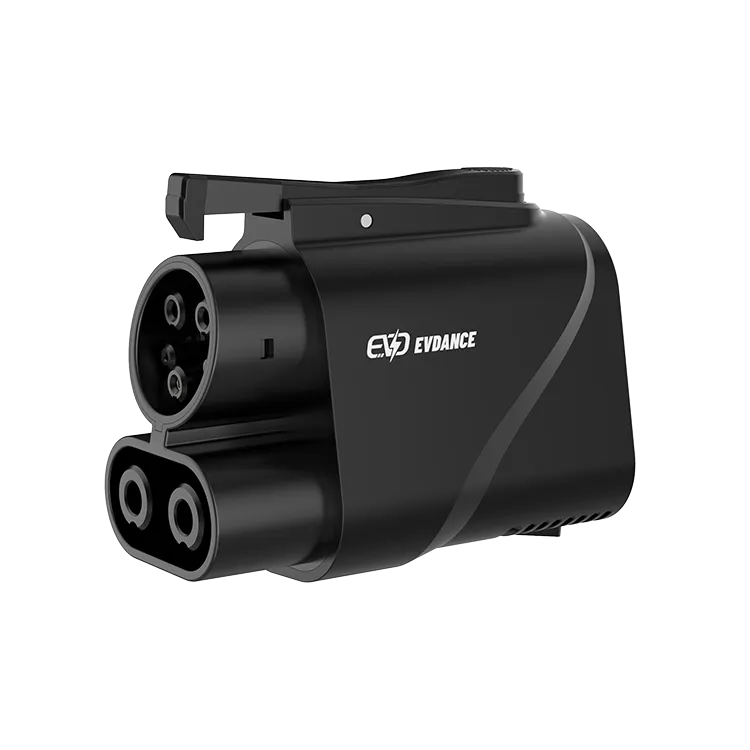
The JT09’s handle makes it easier to hold and seat the adapter; the JT08 is more compact for storage. Our guide on using a DC fast charger covers the connection sequence.
Confirm Access Before You Go
Check that your SUV’s automaker approves DC adapter use and that the station is open to your vehicle. Some vehicles require specific software or adapters, and access can change as networks open more sites, so check again before each long trip. See using NACS chargers with other cars.
The JT08 and JT09 are NACS-to-CCS1 DC adapters rated up to 500 A with IP66 protection; the JT09 adds a handle.
Frequently Asked Questions
Why can’t the fast-charging cable reach my SUV’s port?
Many stalls were designed for a rear-left port and use short cables. Re-park or find a site with longer cables.
Is it OK to park across two stalls to charge?
Only when necessary and at quiet times, ideally at an end stall. Stay nearby and move promptly.
Which is better for SUVs, JT08 or JT09?
Both have the same rating. The JT09’s handle helps with heavy cables; the JT08 is more compact.
Related Reading
- EV Charger Cable Length Guide: 5 m, 7.5 m or Longer?
- How to Use a Public EV Charger (and How to Stop It)
- How to Use a DC Fast Charger: Step by Step
- Can I Use a Tesla Charger for Other Cars?

